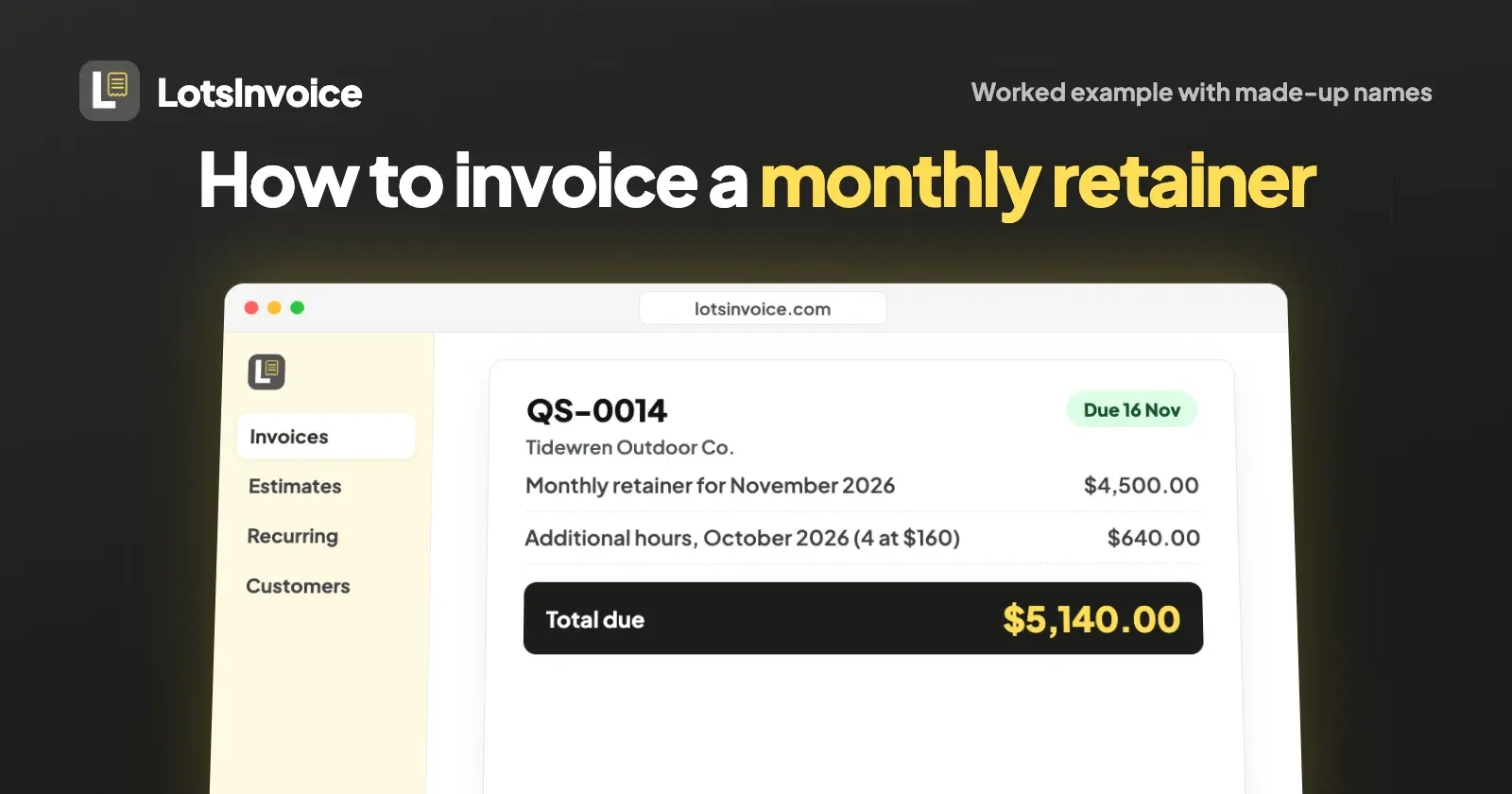
To invoice a monthly retainer, bill the agreed fee at the start of each month, name the period it covers ("Retainer for November 2026"), say what it includes, put last month's extra work on its own line, and give a clear due date. Set it up once as a recurring invoice, then check each month's draft before it goes.
That's the whole method. The rest of this guide walks through one retainer from agreement to paid invoice, with every number shown, so you can copy the structure for your own clients.
About the example: Quillmark Studio and Tidewren Outdoor Co. are made-up names. The fee, hours and dates are the kind a small design and development studio bills every month, and every step in LotsInvoice is exactly what the product does.
What a monthly retainer invoice should show
A retainer invoice goes out every month, often to the same accounts payable inbox. The client's team should be able to approve it without writing back to ask what it's for. These are the parts that make that possible:
| On the invoice | Why it matters | In the example |
|---|---|---|
| Invoice number and issue date | Your client files it, your accountant reconciles it | QS-0014, 1 November 2026 |
| The period it covers | Stops "is this October or November?" emails | "Monthly retainer for November 2026" |
| What the retainer includes | Makes extra hours easy to accept | Design and development, up to 30 hours |
| Extra work on its own line | The fee stays the same every month; extras are visible | 4 additional hours in October at $160 |
| Due date or payment terms | Gives reminders a date to work from | Net 15: due 16 November 2026 |
| Agreement or PO reference | Some finance teams ask for it before they pay | Reference: Retainer agreement RA-07 |
| How to pay you | The client shouldn't have to ask | A payment link and bank details |
The example: a studio on a $4,500 monthly retainer
Quillmark Studio, a three-person design and development studio, agreed a retainer with Tidewren Outdoor Co. starting 1 October 2026:
- Fee: $4,500 a month, billed in advance on the 1st.
- Included: up to 30 hours of design and development a month (an effective $150 an hour).
- Extra hours: $160 an hour, billed in arrears on the next month's invoice.
- Unused hours: don't roll over.
- Payment terms: net 15.
- Term: 12 months, then month to month.
In October, Quillmark's team worked 34 hours for Tidewren: 30 included and 4 extra. Here is the invoice that goes out on 1 November.
The November invoice, line by line
- From: Quillmark Studio, invoice QS-0014
- Bill to: Tidewren Outdoor Co., Accounts Payable
- Issue date: 1 November 2026 · Due date: 16 November 2026 (net 15)
- Reference: Retainer agreement RA-07
| Description | Qty | Rate | Amount |
|---|---|---|---|
| Monthly retainer for November 2026: design and development, up to 30 hours | 1 | $4,500.00 | $4,500.00 |
| Additional hours, October 2026 (34 hours worked, 30 included) | 4 | $160.00 | $640.00 |
| Total due | $5,140.00 |
Payment options: pay by card through our payment link, or by bank transfer to the account below. Please quote QS-0014.
No tax line appears in this example. Whether a retainer carries tax depends on where you and your client are and what you sell, so set your own rates with your accountant.
Why it's built this way
- The fee is billed in advance. A retainer reserves your team's time for the month ahead, so the invoice for November goes out on 1 November. Agencies usually do it this way because it keeps cash ahead of the work.
- Extras are billed in arrears. You only know October's extra hours once October is over, so they go on November's invoice as a separate line that names October. The retainer line never changes, which makes it easy for the client's finance team to approve.
- The period is in the line text. "Monthly retainer for November 2026" answers the first question anyone in accounts payable asks.
When the month is lighter
In December, Quillmark works 24 hours. Under this agreement unused hours don't roll over, so January's invoice is the plain $4,500.00, with no extra line.
If your agreement does credit unused hours, don't edit the retainer line. Issue a credit note instead: 6 unused hours at the effective $150 is a $900.00 credit, applied to the next invoice, leaving $3,600.00 to pay on the $4,500.00 retainer. The fee stays visible and the credit has its own record.
Set it up once in LotsInvoice
Here's how Quillmark runs this retainer in LotsInvoice, so each month takes a minute instead of a rebuilt spreadsheet.
- Add the client once. Tidewren's billing name, address, email and payment terms (15 days) are saved on the customer, so every invoice uses them.
- Add how you get paid. In your payment settings, add the options you already use: a Stripe Payment Link, PayPal or Square link, bank details, ACH, Zelle, Venmo or check by mail. They print on every invoice and show in the client portal. LotsInvoice never holds or moves your money: clients pay you directly.
- Write the retainer once, as a draft. Write the line as
Monthly retainer for {period}: design and development, up to 30 hours, set the quantity to 1 and the rate to $4,500.00, and put the agreement in the Reference field. This draft is the pattern for every month, so you don't send it. - Make it recurring. From that draft, choose to repeat it every 1 month, set the first issue date to 1 October 2026, and either an end date or "stop after 12 invoices". Then pick what happens each time: create a draft for me to review, or issue and email it automatically. The recurring invoice keeps its own copy, so you can delete the pattern draft afterwards.
- Each month, check and send. On the 1st, LotsInvoice creates the invoice with
{period}filled in ("Monthly retainer for November 2026"), the same lines, notes, reference, payment options and design, and a due date the same number of days after the issue date as on the pattern draft (or your client's saved terms). Add last month's extra hours as a line, look at the preview, and send.
A few details that matter for retainers:
{month}and{year}work too, if you'd rather write "Retainer, November" or "Support plan 2026".- Month-end dates are handled. A retainer that starts on the 31st issues on the last day of shorter months, then goes back to the 31st.
- PO numbers that change monthly go on each draft. If your client issues one purchase order for the whole agreement, put it in the Reference field once and it carries to every invoice.
- Reminders run on their own. By default they go out 3 days before the due date, on the due date, and 7 and 14 days after, in your words, and stop as soon as the invoice is paid. For Quillmark's November invoice that's 13, 16, 23 and 30 November. You can change the schedule and the message.
- The client sees one place for everything. The invoice email comes from your business name with the PDF and a private portal link. You see when it's opened, the portal shows the client their invoices, balance, statement and your payment options, and they can tell you "I've sent payment".
- You record the payment when it arrives, and the invoice shows as paid. Nothing is marked paid until you say so.
- Pause, don't delete. If the client pauses the work for a month, pause the recurring invoice and resume it later.
Draft or automatic?
If the fee is the same every month and nothing else goes on the invoice, automatic sending is fine. You'll need your business email confirmed first, because the invoice is emailed from your business name.
If you bill extra hours, choose drafts. You'll get a draft on the 1st with the retainer line ready, add the extras, and send it when you are ready. For most agencies that's the safer setting: an invoice is your name on a request for money, and it should be right.
From your AI assistant, if you use one
LotsInvoice works with the AI agent you already use, such as Claude or ChatGPT, through its MCP server. The assistant drafts from your saved customers, items and layout, and asks before anything is sent. For this retainer you could say:
Set up a monthly retainer for Tidewren Outdoor Co.: one line, "Monthly retainer for {period}: design and development, up to 30 hours", quantity 1 at $4,500.00, reference "Retainer agreement RA-07", due 15 days after issue. Repeat it monthly from 1 October 2026 for 12 invoices, as drafts for me to review. Show me the first draft's total. Each month, when I give you last month's extra hours, add them to that month's draft at $160 an hour and ask me before sending.
Everything it does shows up in your dashboard, where you check the draft and the PDF before it goes.
What it costs to run
LotsInvoice is priced per business you invoice from: Starter is $12 a month or $120 a year for one business, with unlimited invoices, customers, reminders and team members inside it, so everyone at the studio can work on invoices at no extra cost. New accounts get 15,000 free credits, valid 90 days, no card. See pricing.
Common questions
What is a retainer invoice?
A retainer invoice bills a client a fixed, agreed fee for a period of work, usually a month, whatever the exact hours turn out to be. It names the period, says what the fee includes, and lists any work beyond the agreement on a separate line.
Should I invoice a retainer at the start or the end of the month?
Agencies usually bill the retainer fee at the start of the month it covers, because it reserves their time for that month. Extra hours are billed at the start of the following month, once you know them. Whatever you choose, write it in the agreement and keep it the same every month.
How do I bill hours over the retainer?
Add them as their own line on the next invoice: the number of extra hours, your agreed overage rate and the month they were worked, such as "Additional hours, October 2026: 4 at $160.00". Keep the retainer line unchanged so the client can see the fee and the extras separately.
Can LotsInvoice send retainer invoices automatically?
Yes. A recurring invoice repeats weekly, monthly or yearly, and each time it can either create a draft for you to review or issue and email the invoice automatically from your business name. Line text can use {period}, {month} and {year}, so each invoice names its own month.
Can my client pay a retainer invoice by card?
Yes, through the payment options you already use. Add your Stripe Payment Link, PayPal or Square link and it appears on every invoice and in the client portal, next to bank transfer, ACH, Zelle or check details. Clients pay you directly, LotsInvoice never holds your money, and you record the payment when it arrives.