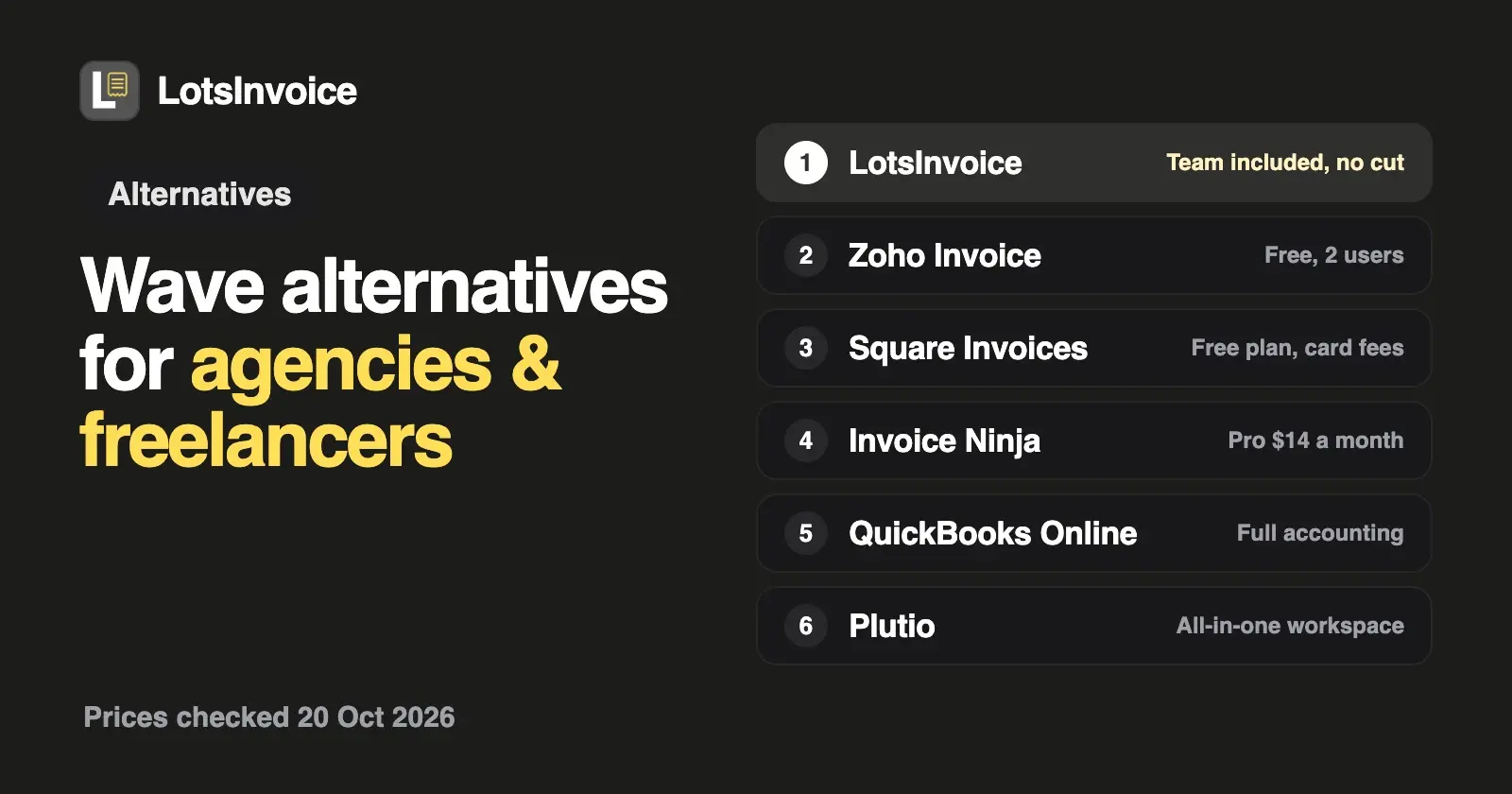
If you want to stay at $0, Zoho Invoice and Square Invoices are the closest free swaps for Wave, and Invoice Ninja is free for up to 5 clients. If your agency wants exact, on-brand invoices with the whole team included and no cut of payments, LotsInvoice is $12 a month per business. If you need the bookkeeping Wave gives you, look at QuickBooks Online, Xero or FreshBooks.
Wave is a good product, and its free Starter plan is hard to argue with. I opened every vendor's own pricing page on 20 October 2026 and compared each alternative on what agencies and freelancers actually pay for: the monthly price, what adding your team costs, any client or invoice limits, whether accounting is included, and what is taken from each payment. Prices are US dollars before tax, monthly unless noted, and list prices only (no promotions). Sources are linked at the end.
What Wave does well, and why people look elsewhere
Wave's Starter plan costs $0 and includes unlimited estimates, invoices, bills and bookkeeping records, a mobile app and a dashboard for cash flow and customers. Pro is $19 a month or $190 a year and adds bank-transaction import, receipt capture, automated late-payment reminders and users with admin, editor or viewer roles. Wave also offers payroll as an add-on and Wave Advisors, its bookkeeping service, from $149 a month. For a solo freelancer who wants invoicing and simple books in one free app, that's a lot.
The reasons agencies and freelancers look for a Wave alternative come from how Wave makes money and how it's set up:
- Card payments run through Wave. On Starter, card payments cost 2.9% + $0.60 (3.4% + $0.60 for Amex). On Pro, the first 10 card payments each month cost 2.9% + $0, then Starter rates. Bank payments (ACH) are 1% with a $1 minimum. On a $2,000 invoice paid by card on Starter, that's $58.60. Online payments also need Wave's approval, which includes identity verification and a credit review.
- Your team is a Pro feature. On Starter you can add a payroll manager or a tax pro. Adding a partner or a project manager as an admin, editor or viewer needs Pro.
- Pro is priced per business. Three businesses on Pro are three subscriptions at $19 each.
- It's accounting software. If you only need to send invoices and get paid, the bookkeeping side is more than you need.
Wave alternatives at a glance
| Tool | Price | Free option | Your team | Client and invoice limits | Accounting | Payments and fees (US) |
|---|---|---|---|---|---|---|
| Wave (for reference) | Starter $0; Pro $19 a month or $190 a year, per business | Starter | Payroll manager or tax pro on Starter; admin, editor and viewer roles on Pro | Unlimited invoices and estimates | Yes, bookkeeping | Cards 2.9% + $0.60 (Pro: first 10 a month at 2.9% + $0); ACH 1%, $1 minimum |
| LotsInvoice | $12 a month per business, $120 a year | 15,000 free credits, valid 90 days, no card | Unlimited team members | None inside a business | No; reports and CSV export for your accountant | Your own options (Stripe Payment Link, PayPal, Square, bank, ACH, Zelle, check). No cut |
| Zoho Invoice | $0 | Free forever | Up to 2 users | 500 invoices a year, 3 projects, "Powered by Zoho Invoice" branding | Zoho Books is a separate product | No extra fee from Zoho; your gateway's fees (Stripe, PayPal, Square and others) |
| Square Invoices | Square Free $0; Plus $49 and Premium $149 a month per location | Square Free | Not stated on the invoices pricing page | Invoices and recurring invoices on every plan | Not stated on the pricing page | Online and invoice cards 3.3% + 30¢ (Free), 2.9% + 30¢ (Plus, Premium); ACH 1%, $1 minimum ($10 cap on Plus and Premium) |
| Invoice Ninja | Pro $14 a month or $140 a year | Free up to 5 clients | Extra account users on Enterprise, from $18 a month for 1 to 2 users | Free: 5 clients; Pro: unlimited | Expenses; P&L reports on Pro | Your gateway (Stripe, PayPal, Square, GoCardless and more) |
| FreshBooks | Lite $23, Plus $43, Premium $70 | 30-day trial | $11 a month per team member | Lite 5 clients, Plus 50, Premium unlimited | Yes | Cards 2.9% + $0.30, ACH 1% |
| QuickBooks Online | Simple Start $38 (1 user), Essentials $85 (3), Plus $140 (5), Advanced $340 (25) | 30-day trial; QuickBooks Free at $0 | Users by plan | Not stated on the pricing page | Yes | Cards 2.99%, ACH 1% |
| Xero | Early $27, Growing $59, Established $97 | No | No per-user license fees | Early: quotes and 20 invoices | Yes | Online invoice payment fees apply (not listed on the pricing page) |
| Moxie | Starter $12, Pro $25, Teams $40 a month ($10, $20, $32 billed annually) | 14-day trial | Teams: up to five team members | Not stated | Basic accounting | Connect Stripe or PayPal |
| Plutio | Core $19, Pro $49, Max $199 | 7-day trial | Core: solo; Pro: 30 contributors; Max: unlimited | Core: 9 active clients | Not stated | No Plutio transaction fee; Stripe, PayPal or Square fees apply |
Checked on 20 October 2026 on each vendor's own pricing page.
1. LotsInvoice: invoicing only, the whole team included, no cut of payments
An invoice is your name on a request for money. It should be right. I built LotsInvoice for agencies, freelancers and small businesses who invoice their own clients and don't need an accounting suite to do it.
- One price per business, the team included. Starter is $12 a month or $120 a year for one business (from $10 a month billed yearly). Inside the business, clients, invoices, estimates, credit notes, items, templates, reminders and team members are unlimited. Invite your partner, your project manager or your bookkeeper as an editor or viewer at no extra cost. Pro ($29 for 5 businesses) and Business ($79 for 20) are for people who run several brands or sister companies, and include LotsNotes Pro. See pricing.
- No cut of your payments. LotsInvoice never holds or moves your money. Your invoices, emails and client portal show the options you already use: a Stripe Payment Link, PayPal, Venmo, Cash App or Square link, bank transfer or ACH details, Zelle or a check address. Clients pay you directly, your provider's own fees apply, and LotsInvoice adds none. You record the payment when it arrives.
- Set up once. Your logo, colours and font, one of nine designs (US Letter or A4) or your own template, your numbering, your columns, item and accounting codes, custom fields, tax IDs and declarations. If a client asks for a PO number on the invoice, that's a setting, not a workaround.
- Nothing goes out unchecked. Every invoice starts as a draft next to a preview of the real PDF. Quantities, discounts and several named taxes per line are calculated to the cent and match in the preview, the PDF and the reports. You send it when you are ready.
- A record you can trust. Sent invoices are numbered and locked. Changes are revisions with a reason, or credit notes.
- Followed up until you're paid. Invoices go from your business name with the PDF and a private client portal link. You see when they're opened. Reminders go out before and after the due date, in your words, and stop when the invoice is paid. Clients can tell you "I've sent payment" from the portal.
- Retainers and quotes. Recurring invoices weekly, monthly or yearly, as drafts to review or sent on schedule. Estimates accepted with a typed name, converted in one click. Any currency.
- Reports for your accountant. Who owes what, revenue, tax collected and payments received, with CSV export, and a full export of your data any time.
New accounts get 15,000 free credits, valid 90 days, no card, enough to run one business for a month.
Where Wave still fits better: LotsInvoice doesn't do bookkeeping, bank imports, receipts or payroll, and it doesn't process cards inside the invoice or mark invoices paid automatically. If you want those in the same app for $0, Wave is hard to beat. Start at lotsinvoice.com.
2. Zoho Invoice: free, with a two-user limit
Zoho Invoice costs $0, forever, and it's invoicing-first: quotes, recurring invoices, payment reminders, a customer portal, expenses and time logging with projects. Its pricing page lists the limits: up to 2 users, a maximum of 3 projects, up to 500 invoices a year, and "Powered by Zoho Invoice" branding on what you send. Zoho Invoice charges no extra fee on payments you receive; your payment gateway (Stripe, PayPal, Square, Braintree, GoCardless, Authorize.net and others) charges its own processing fee.
Choose Zoho Invoice if your agency is two people, you send fewer than 500 invoices a year and you don't mind Zoho's branding.
3. Square Invoices: free invoicing if you already use Square
Square includes invoices and recurring invoices on every Square plan, including Square Free at $0. The cost is in the processing: card payments on an invoice are 3.3% + 30¢ on Square Free, and 2.9% + 30¢ on Square Plus ($49 a month per location) and Premium ($149 a month per location). ACH bank transfers on an invoice are 1% with a $1 minimum, capped at $10 on Plus and Premium. Cards issued outside the US add 1.5%.
Choose Square Invoices if you already take payments with Square and want invoices in the same account.
4. Invoice Ninja: low-cost Pro with unlimited clients
Invoice Ninja's Free plan gives you unlimited invoicing for up to 5 clients. Ninja Pro is $14 a month or $140 a year with unlimited clients and invoices. Adding account users starts on Enterprise, priced by the number of users: $18 a month for 1 to 2 users, up to $300 a month for 51 to 100. Clients pay through the gateway you connect (Stripe, PayPal, Square, GoCardless and many more) with a Pay Now button in the portal, and there are apps for macOS, Windows, Linux, iOS and Android. Paid plans come with a 30-day money-back promise.
Choose Invoice Ninja if you want a full-featured invoicing tool at a low monthly price and you're a small team. I compared it with LotsInvoice in detail in LotsInvoice vs Invoice Ninja.
5. FreshBooks: invoicing with accounting, priced by clients and team
FreshBooks combines invoicing with accounting, expenses and estimates. Lite is $23 a month and lets you send invoices to 5 clients, Plus is $43 for 50 clients and Premium is $70 for unlimited clients. Each team member is $11 a month. FreshBooks Payments charges 2.9% + $0.30 per card payment and 1% for ACH bank transfers. There's a 30-day free trial with no card.
Choose FreshBooks if you're leaving Wave for more polished accounting and invoicing in one product, and the client limits fit. More options in FreshBooks alternatives for agencies.
6. QuickBooks Online: full accounting, priced by users
QuickBooks Online is the accounting suite many accountants already work in. Simple Start is $38 a month for 1 user, Essentials $85 for 3, Plus $140 for 5 and Advanced $340 for 25, each with access for your accountants. There's a 30-day free trial, and the pricing page also links to QuickBooks Free at $0 a month. QuickBooks Payments charges 2.99% for cards and digital wallets and 1% for ACH bank payments (rates dated 18 September 2026 on its own page).
Choose QuickBooks Online if you're outgrowing Wave's bookkeeping and your accountant prefers QuickBooks.
7. Xero: accounting without per-user license fees
Xero has no per-user license fees. Early is $27 a month and lets you send quotes and 20 invoices, Growing is $59 and Established is $97, each with bank reconciliation. Online invoice payments carry fees, which the pricing page doesn't list.
Choose Xero if you want full accounting with your whole team in it and your invoice volume fits the plan.
8. Moxie: client management for freelancers and small agencies
Moxie bundles invoicing with projects, proposals, contracts, time tracking, a client portal and basic accounting. Starter is $12 a month ($10 billed annually), Pro is $25 ($20) and adds a white-label client portal, automations and a QuickBooks integration, and Teams is $40 ($32) for up to five team members. Invoices can repeat for retainers, send reminders and add late fees, and clients pay through the Stripe or PayPal account you connect. There's a 14-day free trial.
Choose Moxie if you want your projects, proposals and invoices in one workspace and your team is five people or fewer.
9. Plutio: an all-in-one workspace with no transaction fee
Plutio puts projects, invoices, proposals, contracts, scheduling, forms and time tracking in one app. Core is $19 a month for solo work with up to 9 active clients. Pro is $49 with unlimited active clients and 30 contributors, and Max is $199 with unlimited contributors, white-label and single sign-on. Plutio says it takes no transaction fee on invoice payments; your Stripe, PayPal or Square fees still apply. There's a 7-day trial.
Choose Plutio if you want one workspace for the whole client relationship, not just invoices.
Which Wave alternative should you pick?
- You want exact, on-brand invoices with your whole team included, and no cut of payments: LotsInvoice, from $10 a month billed yearly.
- You want to stay at $0: Zoho Invoice (2 users, 500 invoices a year) or Square Invoices on Square Free.
- You want a low price with unlimited clients: Invoice Ninja Pro at $14.
- You want more accounting than Wave: QuickBooks Online, Xero or FreshBooks.
- You want projects, proposals and invoices in one place: Moxie or Plutio.
For the wider picture, see the best invoicing software for agencies and freelancers.
How to move from Wave to LotsInvoice
Keep Wave open while your last invoices there get paid, and start new invoices in LotsInvoice:
- Create your business with your legal name, address and email, then confirm the email from your inbox.
- Set it up once: logo, design, columns, taxes and payment options (your Stripe Payment Link or PayPal link, bank or ACH details, Zelle).
- Bring your clients and services in as CSV files: customers and items.
- Continue your numbering, so your next invoice follows the last one you sent from Wave.
- Invite your team as editors or viewers, at no extra cost.
- Send your first invoice from a draft, after checking the PDF preview.
LotsInvoice also works with the AI agent you already use, when you want it. If you work in Claude or ChatGPT, connect it at lotsinvoice.com/mcp and give it the move in one message:
Read https://lotsinvoice.com/skill.md. Then set up my studio in LotsInvoice: import the clients in clients.csv and the services in services.csv, continue invoice numbering from INV-0212, add my Stripe Payment Link and my bank details as payment options, and invite my partner as an editor. Draft the first invoice for Example Co and show me the preview before anything is sent.
It asks before anything goes out, and the dashboard is where you check everything.
FAQ
What is the best Wave alternative for agencies?
It depends on why you're leaving Wave. If you want exact, on-brand invoices with the whole team included and no cut of payments, LotsInvoice charges $12 a month per business with unlimited team members. If you want to stay free, Zoho Invoice or Square Invoices. If you want more accounting, QuickBooks Online, Xero or FreshBooks.
Is there a free alternative to Wave?
Yes. Zoho Invoice is free for up to 2 users and 500 invoices a year, with Zoho branding. Square Invoices is included on Square Free, with card fees of 3.3% + 30¢ on invoices. Invoice Ninja is free for up to 5 clients. LotsInvoice has no free plan; new accounts get 15,000 free credits, valid 90 days, no card.
Is Wave invoicing really free?
Wave's Starter plan is $0 with unlimited invoices and estimates. Wave charges when clients pay online: 2.9% + $0.60 per card payment on Starter (3.4% + $0.60 for Amex) and 1% for bank payments with a $1 minimum. Pro is $19 a month per business. Checked on Wave's pricing and payments pages on 20 October 2026.
How much does Wave take from a card payment?
On Starter, 2.9% + $0.60 per card payment, so $58.60 on a $2,000 invoice. On Pro, the first 10 card payments each month are 2.9% + $0, then the Starter rate applies. Amex is 3.4% plus the same fixed fee.
Can I keep taking card payments if I move from Wave to LotsInvoice?
Yes, through your own provider. Add your Stripe Payment Link, PayPal or Square link and it appears on every invoice, in the email and in the client portal, next to bank, ACH or Zelle details. Clients pay you directly, your provider's fees apply, and you record the payment when it arrives.
Sources
All checked on 20 October 2026:
- Wave: waveapps.com/pricing, waveapps.com/payments
- LotsInvoice: lotsinvoice.com, pricing, skill.md
- Zoho Invoice: pricing, online payments
- Square Invoices: squareup.com/us/en/invoices/pricing
- Invoice Ninja: invoiceninja.com/pricing-plans
- FreshBooks: freshbooks.com/pricing
- QuickBooks Online: pricing, payment rates
- Xero: xero.com/us/pricing-plans
- Moxie: pricing, invoicing
- Plutio: plutio.com/pricing