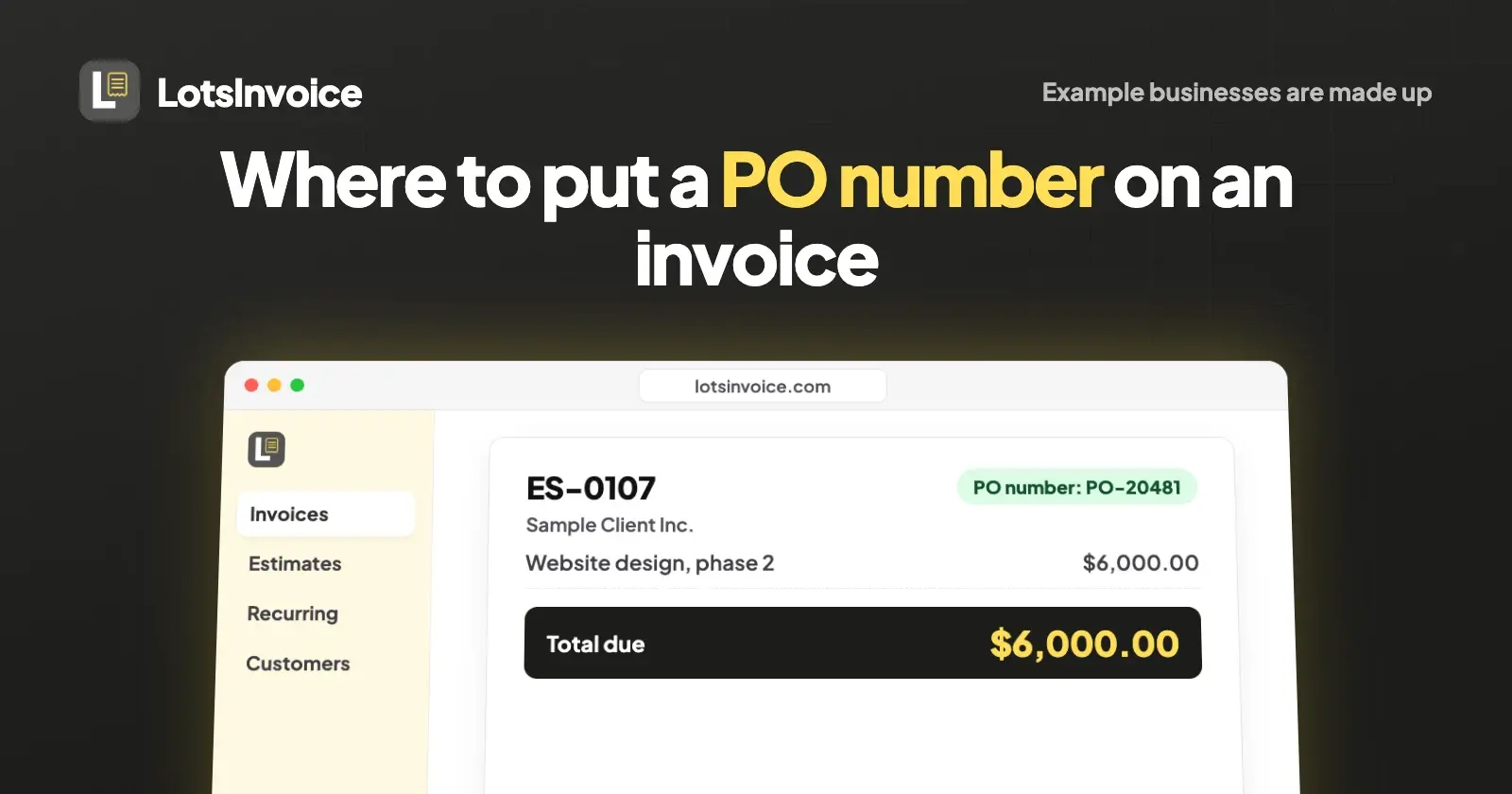
Put the PO number at the top of the invoice, in the details block next to the invoice number, invoice date and due date, labelled "PO number". That's where a client's accounts payable team looks first to match your invoice to their purchase order. If one invoice covers several POs, add a PO column to the line items instead.
A missing or misplaced PO number is one of the most common reasons an invoice comes back unpaid, and the fix is almost always on the page itself. Below are the three cases you'll meet as an agency, freelancer or small business, with an example of each, and where LotsInvoice puts the PO number (checked in its API docs and settings on 21 October 2026). The businesses in the examples are made up.
What a PO number is, and why the client wants it on your invoice
A purchase order (PO) is the client's own document: their approval to spend a set amount with you. Its number comes from their system, not yours. When your invoice arrives, their finance team matches it against that PO, and often against what was actually delivered, before they release payment. If they can't find the PO number, the invoice waits.
So the PO number isn't your invoice number, and it doesn't replace it. Your invoice keeps your own numbering; the PO number sits next to it as the client's reference.
Example 1: one project, one PO
The most common case. Example Studio (hello@example.com) designs a website for Sample Client Inc., whose purchase order number is PO-20481. The PO number goes in the header, under the invoice number:
| Invoice | ES-0107 |
| Date | 21 Oct 2026 |
| Due date | 20 Nov 2026 |
| PO number | PO-20481 |
| Item | Qty | Rate | Amount |
|---|---|---|---|
| Website design, phase 2 | 1 | $6,000.00 | $6,000.00 |
| Total | $6,000.00 |
Copy the PO number exactly as the client wrote it, including letters, dashes and leading zeros. "PO-20481" and "20481" may not match in their system.
Example 2: a monthly retainer under one PO
Many clients raise one PO for a year of retainer work, often called a blanket PO, and expect it on every monthly invoice. Some issue a new PO each month instead.
| November invoice | December invoice | |
|---|---|---|
| Invoice | ES-0112 | ES-0118 |
| PO number (one PO for the year) | PO-31007 | PO-31007 |
| PO number (a new PO each month) | PO-31102 | PO-31245 |
| Line | Monthly retainer for November 2026, $4,500.00 | Monthly retainer for December 2026, $4,500.00 |
Same place in the header either way. What changes is whether the number repeats or is new each time, which matters when your retainer invoices are created automatically (more on that below).
Example 3: several POs on one invoice
Sometimes one invoice bills work from more than one PO: a design job and a separate photography job for the same client, each approved on its own PO. Leave the header field empty, or use it for the main PO, and add a PO column to the line items so each line shows its own:
| Item | PO | Qty | Rate | Amount |
|---|---|---|---|---|
| Brand guidelines | PO-40112 | 1 | $3,200.00 | $3,200.00 |
| Product photography, 1 day | PO-40139 | 1 | $1,800.00 | $1,800.00 |
| Total | $5,000.00 |
If the client's finance team asks for one invoice per PO, do that instead: it's their matching process, and they'll tell you.
Other places the PO number helps
- Your email. Put the PO number in the subject or first line: "Invoice ES-0107 for PO-20481". Some accounts payable teams sort their inbox by it.
- The payment reference. Ask the client to quote your invoice number when they pay, so you can match the payment on your side. The PO is their reference; the invoice number is yours.
- Revisions. If you sent an invoice with the wrong PO number, correct it on the same invoice with a note of what changed, rather than sending a second invoice that could be paid twice.
Where LotsInvoice puts the PO number
In LotsInvoice the PO number is a field on every invoice, estimate and credit note. It prints in the details block at the top of the document, next to the number, date and due date, labelled "PO number", and only when you fill it in. It holds up to 60 characters.
On one invoice. In the invoice editor, open More document fields and type it into PO number. The preview of the real PDF shows it in place before you send.
Its label and whether it shows. In Settings > Layout, Blocks and fields turns the PO number on or off for every document, and Labels renames any printed word, so "PO number" can read "Purchase order" or "Your PO" if a client prefers.
Several POs on one invoice. In Settings > Layout > Line columns, add a custom column named "PO" (you can add up to 6 of your own columns) and fill it on each line, as in example 3.
Retainers. When you make an invoice recurring, its PO number isn't copied to the invoices that follow, so last month's PO never goes out by mistake. Duplicating an invoice leaves it blank for the same reason. For a new PO each month, run the recurring invoice in draft mode: each month's invoice waits as a draft, you add the new PO number, check it and send. For one PO that covers the whole year, turn on the Reference field (in Blocks and fields) and put the PO there; the reference is copied to every invoice in the series. There's a full retainer example in How to Invoice a Monthly Retainer.
After it's sent. Sent invoices are numbered and locked. If the PO number was wrong, make a revision: the invoice keeps its number, the new version carries the correct PO, and the reason for the change is recorded.
If you work in Claude, ChatGPT or another assistant connected through lotsinvoice.com/mcp, you can say "draft an invoice for Sample Client Inc. for phase 2, $6,000, PO-20481". The PO goes into the same po_number field (documented for create_invoice in the API docs), and nothing is sent until you say so.
LotsInvoice is $12 a month per business, with unlimited invoices and team members. New accounts get 15,000 free credits, valid 90 days, no card. See pricing.
How other tools label it
Not every tool calls it "PO number". Zoho Invoice, for example, has an "Order Number" field on its recurring invoice form for your purchase order number (checked on Zoho's help page on 21 October 2026). Whatever the field is called, what counts is that the client's number appears near the top of the invoice, exactly as they issued it.
Common questions
Where does the PO number go on an invoice?
At the top, in the details block with the invoice number, invoice date and due date, labelled "PO number". If one invoice covers several POs, add a PO column to the line items so each line shows the PO it belongs to.
Is a PO number the same as an invoice number?
No. The PO number comes from your client's purchase order and is their reference. The invoice number comes from your own numbering. A good invoice shows both: your invoice number to identify the invoice, and the client's PO number so they can match it.
Is a PO number required on an invoice?
Only if your client uses purchase orders. Many larger clients do, and their finance team may not pay an invoice without the PO number on it. If a client sends you a PO, put its number on every invoice that bills against it.
What if the client hasn't given me a PO number yet?
Ask for it before you send the invoice. In LotsInvoice you can keep the invoice as a draft, add the PO number when it arrives, check the preview and then send.
Can I add a PO number to an invoice I've already sent?
In LotsInvoice, yes: make a revision of the sent invoice, add or correct the PO number and give a reason. The invoice keeps its number and the change is recorded. Send the revised version to the client so their copy matches.
How do I put a PO number on a recurring invoice?
In LotsInvoice, when you make an invoice recurring, its PO number isn't copied to the next ones, so an old PO never goes out by mistake. For a new PO each month, use draft mode and add it before sending. For one PO covering the whole year, put it in the Reference field, which is copied to every invoice in the series.
Sources
Checked on 21 October 2026:
- LotsInvoice: API docs (
po_numberandreferenceoncreate_invoice;update_settingslayout fieldsdue_date,po_number,reference,place_of_supply), tools.json, skill, pricing - Zoho Invoice: new recurring invoice