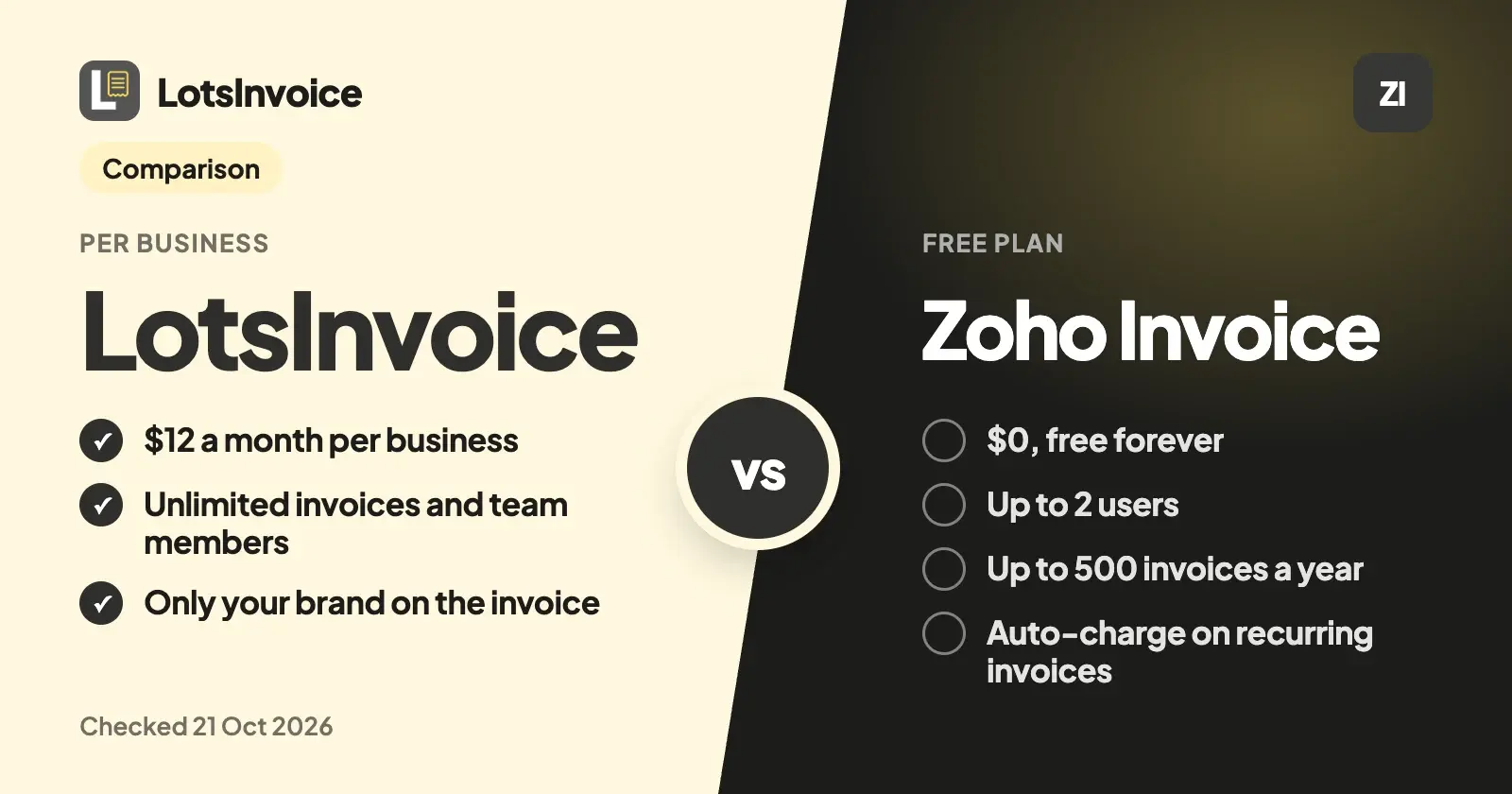
Zoho Invoice is free, and it's a good invoicing tool: quotes, recurring invoices, reminders, a customer portal and time tracking at $0, for up to 2 users and 500 invoices a year with Zoho branding. LotsInvoice costs $12 a month per business, with no invoice cap, no branding and your whole team included.
So the question isn't which one is cheaper. Zoho Invoice is, and if its free plan covers you, it's hard to argue with. LotsInvoice is for agencies, freelancers and small businesses who've outgrown those limits, or who want every invoice set up exactly the way their client or accountant asks, checked in a preview of the real PDF and locked once sent.
Everything about Zoho Invoice below comes from its own pricing, feature and help pages, checked on 21 October 2026, with links at the end. Prices are in US dollars.
LotsInvoice vs Zoho Invoice at a glance
| LotsInvoice | Zoho Invoice | |
|---|---|---|
| Price | Starter $12 a month or $120 a year (1 business), Pro $29 or $290 (5), Business $79 or $790 (20) | $0, free forever |
| Free start | 15,000 free credits, valid 90 days, no card | The whole product is free |
| Invoices | Unlimited in every business | Up to 500 a year |
| Team | Unlimited team members, as editors or viewers | Up to 2 users |
| Branding on what you send | Yours only | "Powered by Zoho Invoice" |
| Several businesses | Pro: 5, Business: 20, each with its own logo, numbering, customers and team | Up to 2 organizations under one account |
| Recurring invoices | Every week, month or year (or every few), as drafts to review or sent on schedule | Yes, as drafts, sent, or charged to a saved card and sent |
| Before and after you send | Every invoice starts as a draft next to a preview of the real PDF; sent invoices are numbered and locked; changes are revisions with a reason, or credit notes | Schedule invoices for a future date; quotes, credit notes and customer statements |
| Your layout | Rename, reorder, hide or add columns; item and accounting codes; custom fields; several named taxes per line; declarations; nine designs or your own template | Customizable templates; tax-inclusive or exclusive rates |
| How clients pay | Your own Stripe Payment Link, PayPal or Square link, bank, ACH, Zelle or check. LotsInvoice never holds your money | Through a connected gateway (Stripe, PayPal, Square, Authorize.net and others), including auto-charge on recurring invoices |
| Fee on payments | None from LotsInvoice | None from Zoho Invoice; your gateway's fees apply |
| Time, projects and expenses | Not included | Time logging, up to 3 projects, expenses |
| Apps | Web app | Web, iOS, Android, Windows and Mac |
| AI assistants | MCP server for Claude, ChatGPT and other assistants, on every plan | Zoho MCP, set up from the Zoho MCP console |
Checked on 21 October 2026 on lotsinvoice.com/pricing and zoho.com/us/invoice/pricing.
Where LotsInvoice is the better choice
No cap on invoices, users or branding
Zoho Invoice's free plan is clear about its limits on its own pricing page: up to 2 users, a maximum of 3 projects, up to 500 invoices a year, and "Powered by Zoho Invoice" on what you send. For a two-person studio sending a few dozen invoices a month, that's fine. For an agency with an account manager, a project lead, a partner and a bookkeeper who all need access, it isn't.
In LotsInvoice nothing inside a business is limited. Invoices, estimates, credit notes, customers, items, templates, reminders and team members are unlimited on every plan, Starter included, and the only brand on the invoice is yours.
One price per business, for each brand you run
If you invoice from more than one company or trading name, each one in LotsInvoice is its own business, with its own logo, numbering, customers and team. Pro covers 5 businesses for $29 a month and Business covers 20 for $79. Zoho Invoice allows up to two organizations under one account.
Nothing goes out unchecked
An invoice is your name on a request for money. It should be right. In LotsInvoice every invoice starts as a draft, next to a preview of the real PDF your client will get, and it goes only when you send it. Totals, discounts and several named taxes on one line (compound or inclusive) are calculated to the cent, and the same numbers appear in the preview, the PDF and the reports.
Once sent, an invoice is numbered and locked. If something has to change, you make a revision with a reason, and the number stays, or you issue a credit note. Your record always adds up.
The layout your client or accountant asks for
Agencies get asked for things: a PO number on the page, a project code on every line, a tax ID, a declaration, a column the client's finance team needs. In LotsInvoice that's set up once. You can rename, reorder, hide or add columns, add item and accounting codes, custom fields and registration IDs, rename any printed word ("Bill to" as "Client"), print declarations, add a signature and company seal, and pick one of nine designs or write your own template. Tax presets for common setups, such as US sales tax, VAT and GST, are a starting point to check with your accountant.
Clients pay you directly, with no cut taken
Neither tool takes a fee from your payments, and that's worth saying plainly. The difference is how the money moves. Zoho Invoice connects to a payment gateway so a client can pay inside the invoice, and it can charge a saved card on a recurring invoice. LotsInvoice never holds or moves your money: your invoices and client portal show the options you already use, a Stripe Payment Link, PayPal or Square link, bank transfer, ACH, Zelle or check, and your client pays you directly. You record the payment when it arrives, and reminders stop.
Works with the AI assistant you already use
You don't need an AI assistant for LotsInvoice: the dashboard does everything. If you work in Claude, ChatGPT or another assistant, connect it at lotsinvoice.com/mcp with your Lots sign-in, no key to paste, on every plan. It drafts invoices from your saved customers, items and layout, and asks before anything is sent. Zoho Invoice also connects to assistants, through the Zoho MCP console, where you choose which actions to allow.
What Zoho Invoice offers
Zoho Invoice is a strong free product, and these are real strengths:
- It's free. $0, with no card needed, and the product isn't a trial.
- A lot is included. Quotes, recurring invoices, scheduled invoices, automated payment reminders, a self-service customer portal, customer statements, expenses, time logging and projects, and reports.
- Auto-charge on recurring invoices. Save a client's card through a connected gateway and Zoho Invoice can create, charge and send each recurring invoice, with retries if a payment fails.
- Many payment gateways. Stripe, PayPal, Square, Authorize.net, Braintree and others, with no extra fee from Zoho Invoice.
- Apps everywhere. iOS, Android, Windows and Mac.
- The Zoho family. It connects to Zoho CRM, Books, Analytics and more, and Zoho points growing businesses to Zoho Billing or Zoho Books.
Which one should you choose?
Choose LotsInvoice if:
- More than two people work on invoices, or you send more than 500 invoices a year.
- You want only your brand on every invoice.
- You run several brands or sister companies and want one price for each.
- Your clients or accountant ask for specific columns, codes, taxes or declarations.
- You want every invoice checked as the real PDF before it goes, and locked once sent.
Choose Zoho Invoice if:
- You want to pay nothing, and 2 users and 500 invoices a year are enough.
- You want a client's card charged automatically on each recurring invoice.
- You want time logging, projects and expenses in the same app.
- You already use Zoho CRM or Zoho Books.
How to move from Zoho Invoice to LotsInvoice
- Export your customers and items from Zoho Invoice as CSV files (its help centre has an Import and Export section).
- Set up your business once in LotsInvoice: logo, design, numbering, columns, taxes and your payment options.
- Import customers and items from the CSV files. Columns are matched by name.
- Continue your numbering so new invoices follow on from your last Zoho Invoice number.
- Recreate your recurring invoices, such as monthly retainers, as drafts to review or sent on schedule.
- Keep your old invoices in Zoho Invoice, or export them for your records.
If you use an AI assistant, you can hand it the setup. Connect LotsInvoice at lotsinvoice.com/mcp, attach your CSV files, and say:
Import these customers and items into my LotsInvoice business. Set the next invoice number to follow on from INV-000214. Add my Stripe Payment Link and bank details as payment options. Then recreate each client's monthly retainer as a recurring invoice that starts on the 1st as a draft for me to review. Show me what you'll create before you create it.
The assistant uses the same tools as the dashboard (import_customers, import_items, set_next_number, set_payment_options, create_invoice, create_recurring), and nothing goes to a client without your yes.
Pricing in one line
LotsInvoice is $12 a month for one business, $29 for 5 and $79 for 20, or $120, $290 and $790 a year, with everything inside a business unlimited. Pro and Business include LotsNotes Pro. New accounts get 15,000 free credits, valid 90 days, no card. See pricing, or see how LotsInvoice compares with other invoicing tools.
For more side-by-side comparisons, read LotsInvoice vs Invoice Ninja and Wave Alternatives for Agencies and Freelancers.
Common questions
Is Zoho Invoice really free?
Yes. Zoho Invoice is $0, with up to 2 users, a maximum of 3 projects, up to 500 invoices a year and "Powered by Zoho Invoice" branding. It adds no fee on payments; the gateway you connect charges its own. Checked on Zoho's pricing and payments pages on 21 October 2026.
Why pay for LotsInvoice when Zoho Invoice is free?
Pay if Zoho Invoice's limits don't fit: more than 2 people on invoices, more than 500 invoices a year, or no third-party branding. LotsInvoice is $12 a month per business with unlimited invoices and team members, your own layout, and every invoice checked as the real PDF and locked once sent.
What is a good Zoho Invoice alternative for agencies?
LotsInvoice, if your agency has more than two people who touch invoices or runs more than one brand. It charges per business, with unlimited team members, clients and invoices inside each one, and shows only your brand.
Can LotsInvoice auto-charge a client's card like Zoho Invoice?
No. LotsInvoice never holds or moves money. Your invoices show your own Stripe Payment Link, PayPal or Square link, bank, ACH or Zelle details, your client pays you directly, and you record the payment. Zoho Invoice can charge a saved card through a connected gateway.
Does Zoho Invoice have time tracking? Does LotsInvoice?
Zoho Invoice includes time logging and projects (up to 3 on the free plan). LotsInvoice doesn't track time; it does invoicing, estimates, recurring invoices, reminders and the client portal.
Can I use an AI assistant with either one?
Yes. LotsInvoice has an MCP server you connect at lotsinvoice.com/mcp with your Lots sign-in, on every plan. Zoho Invoice connects through the Zoho MCP console, where you create a server and choose which Zoho Invoice actions to allow.
Sources
Checked on 21 October 2026:
- LotsInvoice: lotsinvoice.com, pricing, AI assistants, API docs
- Zoho Invoice: pricing and FAQ, features, online payments, customer portal, recurring invoice preferences, Zoho MCP