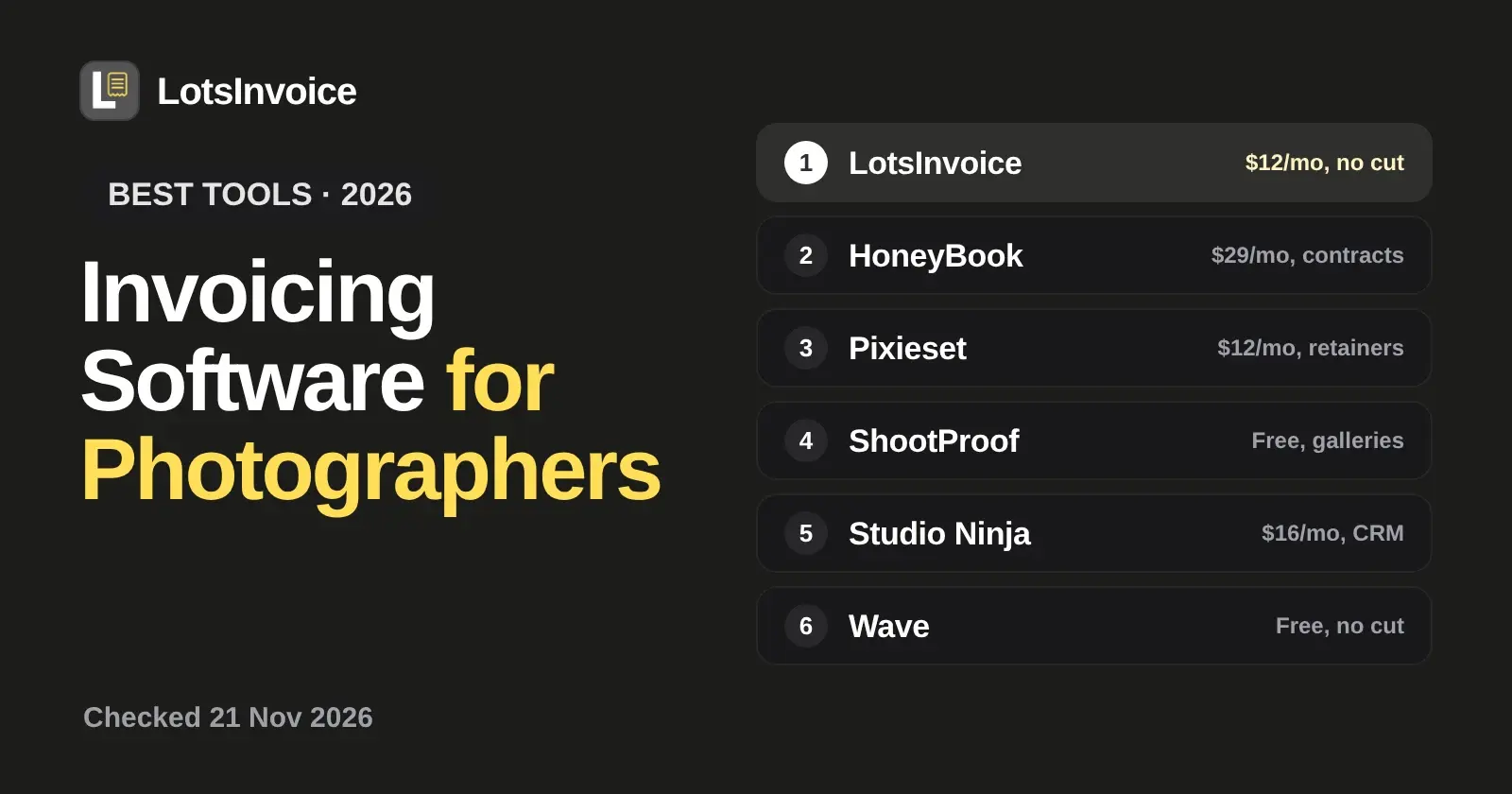
If you want deposit invoices for bookings, session packages and prints billed as their own line items, and no cut taken from your payments, LotsInvoice is $12 a month per business. If you want a contract with an e-signature built into the same tool, look at HoneyBook, Pixieset or Studio Ninja. If you want to deliver the finished photo gallery from the same place you invoice, look at Pixieset or ShootProof. If you want $0, look at Wave or ShootProof's free plan.
Photographers bill in a way most generic invoicing tools weren't built for. You take a deposit or a retainer before you ever show up with a camera, you price a session fee separately from prints and digital files, and a lot of clients expect a written agreement before the shoot, not just an invoice after it. I opened each vendor's own pricing and feature pages today, 21 November 2026, and compared six tools against what photographers actually need. Prices are US dollars before tax, list prices with no promotions. Sources are linked at the end.
What photographers need from invoicing software
- A deposit or retainer before the shoot, as a percentage or a fixed amount, so the date is locked in and you're not out of pocket for travel or a second shooter.
- Session fees, prints and digital files as separate line items, not one vague "photography services" line your client can't check against your price list.
- A contract or at least a signed agreement, ideally before you're on location, covering usage rights, reschedules and what happens on a rainy day.
- An invoice that goes out the same day, from your studio name, with a record your accountant can use at tax time.
- An easy way to get paid: a Pay button, a link, or however the client already pays you.
- Reminders that chase unpaid balances for you and stop the moment they're paid.
- Somewhere to hand over the finished photos, if you want that in the same tool rather than a separate gallery host.
Invoicing software for photographers at a glance
| Tool | Price (monthly unless noted) | Free option | Contracts | Deposits or retainers | Photo galleries | How clients pay |
|---|---|---|---|---|---|---|
| LotsInvoice | $12 per business ($120/year); Pro $29 for 5 businesses; Business $79 for 20 | Free signup credits, no card | Not built in. Estimates are accepted with a typed name, not an e-signature | Percentage or fixed amount on a quote or invoice, with part payments online | No | Pay button through your own Stripe or Razorpay account; PayPal, Square, bank transfer, UPI, ACH, Zelle, Venmo or check recorded by hand. No cut |
| HoneyBook | Starter $29 ($36 billed monthly); Essentials $49 ($59); Premium $109 ($129), prices billed yearly unless noted | None. 30-day free trial, no card | Contracts with eSignatures on every plan | Payment plans with flexible terms on every plan | Not a listed core feature | Card fees start at 2.7% + 10 cents; ACH 1.5% |
| Pixieset Studio Manager | Free; Plus $12 ($15 billed monthly); Pro $18 ($24) | Free: unlimited invoices, 3 contracts, 3 quotes | eSignature contracts (3 free, unlimited from Plus) | "Collect retainer" during booking, from the Pro plan | Separate Client Gallery product, priced on its own | Not stated on this page |
| ShootProof | Free; 1,500 Plan $8.33 ($9.99 monthly); 5,000 Plan $16.67 ($19.99); 25,000 Plan $26.67 ($31.99); Unlimited $50 ($60) | Free: 100 photos | E-sign contracts and invoices on every plan, Free included, $0 commission | Deposit collection through the paid Booking add-on ($6.99/mo) | Yes, built around photo delivery and print sales | Not stated on this page |
| Studio Ninja | Starter $16 ($160/year); Pro $27 ($270); Master $40 ($400) | None. 7-day free trial, no card | Contracts, quotes and questionnaires on every plan | Payment schedules and reminders on every plan | No. Integrates with Pic-Time, ShootProof, Fundy and ProSelect | Stripe integration; fees not stated on this page |
| Wave | Starter $0; Pro $19 ($190/year) | Starter | Not built in | Not built in | No | Cards 2.9% + $0.60 (Amex 3.4% + $0.60) on Starter; ACH 1%, $1 minimum |
Checked on 21 November 2026 on each vendor's own pricing pages.
1. LotsInvoice: deposits and line items, no cut, built for a studio of one or two
I built LotsInvoice for people who invoice their own clients and want it to be right every time, and photography bookings fit that well: you quote a session, take a deposit, invoice the balance or the package, and want it to look right from your own studio name. Here's what's actually in the product today.
- A quote your client accepts. Send an estimate for the session or package, your client accepts it with a typed name, and you turn it into an invoice in one click.
- A deposit before you shoot. Put a deposit on a quote or an invoice, as a percentage or a fixed amount, so the booking is paid for before you turn up.
- Session packages and prints as their own lines. Save items once (a session fee, a print size, an album, a USB of digitals) and add them to any invoice at your own rates. Items, customers and templates are unlimited.
- Retainers that repeat. For ongoing retainer clients, a recurring invoice goes out weekly, monthly or yearly, as a draft to check or sent straight to the client.
- A client portal. Each client gets their balance, their documents and a Pay button, so "did you get my invoice" stops being a conversation.
- Reminders on your schedule that follow up before and after the due date and stop the moment it's paid.
- Nine invoice designs, your logo and colors, US Letter or A4.
- No cut of your payments. Connect your own Stripe or Razorpay account and every invoice gets a Pay button for its exact balance, or show bank details, Zelle, Venmo or a check address and record those payments by hand.
What it doesn't do: a built-in e-signed contract, or a photo gallery. If you need a legal e-signature on a shoot agreement, pair LotsInvoice with a contract tool, or use one of the suites below that bundles both.
Pricing: $12 a month for one business ($120 a year), Pro at $29 a month for 5 businesses, Business at $79 a month for 20. New accounts start with free signup credits, no card needed. See LotsInvoice's pricing.
2. HoneyBook: proposals, contracts and invoices in one client flow
HoneyBook is a client-management suite that a lot of photographers already use to book, contract and invoice in one flow, and its own photographer page leads with exactly that: "Book shoots, send invoices, get paid, deliver galleries." Every plan, including the cheapest, includes unlimited clients and projects, invoices and payments, proposals and contracts with eSignatures, a client portal and payment plans you can set with flexible terms.
Pricing: Starter $29 a month billed yearly ($36 billed monthly), Essentials $49 ($59 monthly, up to 2 team members), Premium $109 ($129 monthly, unlimited team members). All plans start with a 30-day free trial, no card required. Card processing fees start at 2.7% plus 10 cents; ACH is 1.5%. HoneyBook doesn't list photo gallery hosting as one of its core modules, so if delivering the finished shoot matters to you, check that against your workflow first.
3. Pixieset Studio Manager: contracts and retainers, galleries are a separate product
Pixieset is best known for client photo galleries, but its Studio Manager plans are where the invoicing, contracts and booking live, and it's worth knowing that's a separate product from Client Gallery with its own pricing. The free Studio Manager plan already includes unlimited invoices, 3 contracts with eSignatures, 3 quotes or questionnaires and accepting online payments.
Plus, at $12 a month billed annually ($15 billed monthly), adds unlimited contracts and quotes, custom branding and accepting tips on invoices. Pro, at $18 a month billed annually ($24 billed monthly), adds unlimited session types and lets you collect a retainer and accept tips during booking itself, which is close to a deposit charged at the moment someone books you.
If you also want the photo gallery, Pixieset sells a Suite that bundles Client Gallery, Studio Manager, Website, Store and the mobile app starting from $28 a month. Processing fees for Studio Manager weren't stated on its pricing page.
4. ShootProof: invoices, contracts and galleries in one place, starting free
ShootProof is a photo gallery and sales platform first, and it builds invoicing and contracts into every plan rather than gating them behind a higher tier, its own pricing page says "Integrated Contracts & Invoices, available for all plans" including Free. The invoicing feature page calls out getting paid for "session fees, retainers, and more" with no commission taken.
Plans by storage: Free (100 photos), the 1,500 Plan at $8.33 a month billed annually ($9.99 billed monthly), the 5,000 Plan at $16.67 ($19.99), the 25,000 Plan at $26.67 ($31.99), and an Unlimited Plan at $50 ($60). Online client booking with deposit collection is a paid Booking add-on at $6.99 a month on top of any plan. If your main job is getting galleries in front of clients and selling prints alongside the invoice, ShootProof covers both in one subscription.
5. Studio Ninja: a photography CRM with invoicing built in
Studio Ninja markets itself as a photography business app rather than an invoicing tool, and its pricing page backs that up: quotes, invoices, contracts, questionnaires, a client portal, online payments, payment schedules and payment reminders are listed on every plan, including the cheapest. What changes between tiers is mostly brands, users, contact forms and whether workflow automation is switched on.
Pricing: Starter $16 a month or $160 a year, Pro $27 a month or $270 a year (3 users, workflow automation), Master $40 a month or $400 a year (unlimited users and brands). There's a 7-day free trial, no card needed. Studio Ninja has no gallery of its own; it integrates with Pic-Time, ShootProof, Fundy and ProSelect for delivering and selling photos, and with Stripe for taking payments.
6. Wave: free invoicing with none of the photography-specific pieces
Wave is the free default a lot of freelancers reach for first, and it's a reasonable place to start if you're sending a handful of invoices a month and don't need deposits, retainers or contracts built in. Starter is $0 with unlimited invoices, estimates and bookkeeping records; Pro is $19 a month or $190 a year and adds extra user seats, bank import and automatic late reminders.
Card fees on Starter are 2.9% plus 60 cents (Amex 3.4% plus 60 cents); Pro gets those same rates waived to just 2.9% plus $0 for the first 10 transactions a month. ACH is 1%, $1 minimum. There's nothing here built for session bookings or print sales, so you'd be working around that with plain line items and your own notes.
Frequently asked questions
Does LotsInvoice support deposit invoices for photography sessions? Yes. Put a deposit on a quote or an invoice as a percentage or a fixed amount, and the invoice shows the deposit due alongside the total. If you turn on online payments, clients can pay the deposit, the full balance, or another amount you allow, straight into your own Stripe or Razorpay account.
Do I still need a separate contract tool if I use LotsInvoice? If you need a legally signed shoot agreement, yes for now. LotsInvoice's estimates are accepted with a typed name, which is good for confirming a quote, but it isn't an e-signature on a contract the way HoneyBook, Pixieset or Studio Ninja offer. Many photographers keep a short contract tool for the agreement and LotsInvoice for the invoice and payments.
Can I bill a session fee and prints as separate line items? Yes. Save each one as an item once, with its own rate, and add whichever lines a booking needs to any invoice or estimate. Items, customers and templates are unlimited on every LotsInvoice plan.
Which of these tools actually hosts the photo gallery? Pixieset and ShootProof are built around delivering and selling photo galleries, with invoicing and contracts layered on top (Pixieset's gallery and Studio Manager are priced separately unless you buy the Suite). HoneyBook, Studio Ninja, LotsInvoice and Wave don't host galleries; several integrate with a gallery tool instead.
Do any of these take a cut of my payments? LotsInvoice doesn't. Your client pays straight into your own connected account, and your payment provider's usual processing fee is the only charge. HoneyBook, Wave and Pixieset charge their own card and ACH processing fees on top of the plan price; ShootProof and Studio Ninja route payments through Stripe or a connected processor, whose fees apply.
Can I use an AI assistant with LotsInvoice? Yes. Once a business is set up, an assistant like Claude or ChatGPT can draft invoices and estimates from your saved customers, items and layout. You choose what it's allowed to do, and sending and payments stay off until you turn them on.
Sources, checked 21 November 2026
- LotsInvoice pricing: https://lotsinvoice.com/pricing
- HoneyBook pricing: https://www.honeybook.com/pricing
- Pixieset Studio Manager pricing: https://pixieset.com/pricing-studio-manager/
- ShootProof plans: https://www.shootproof.com/plans
- Studio Ninja pricing: https://www.studioninja.co/pricing/
- Wave pricing: https://www.waveapps.com/pricing