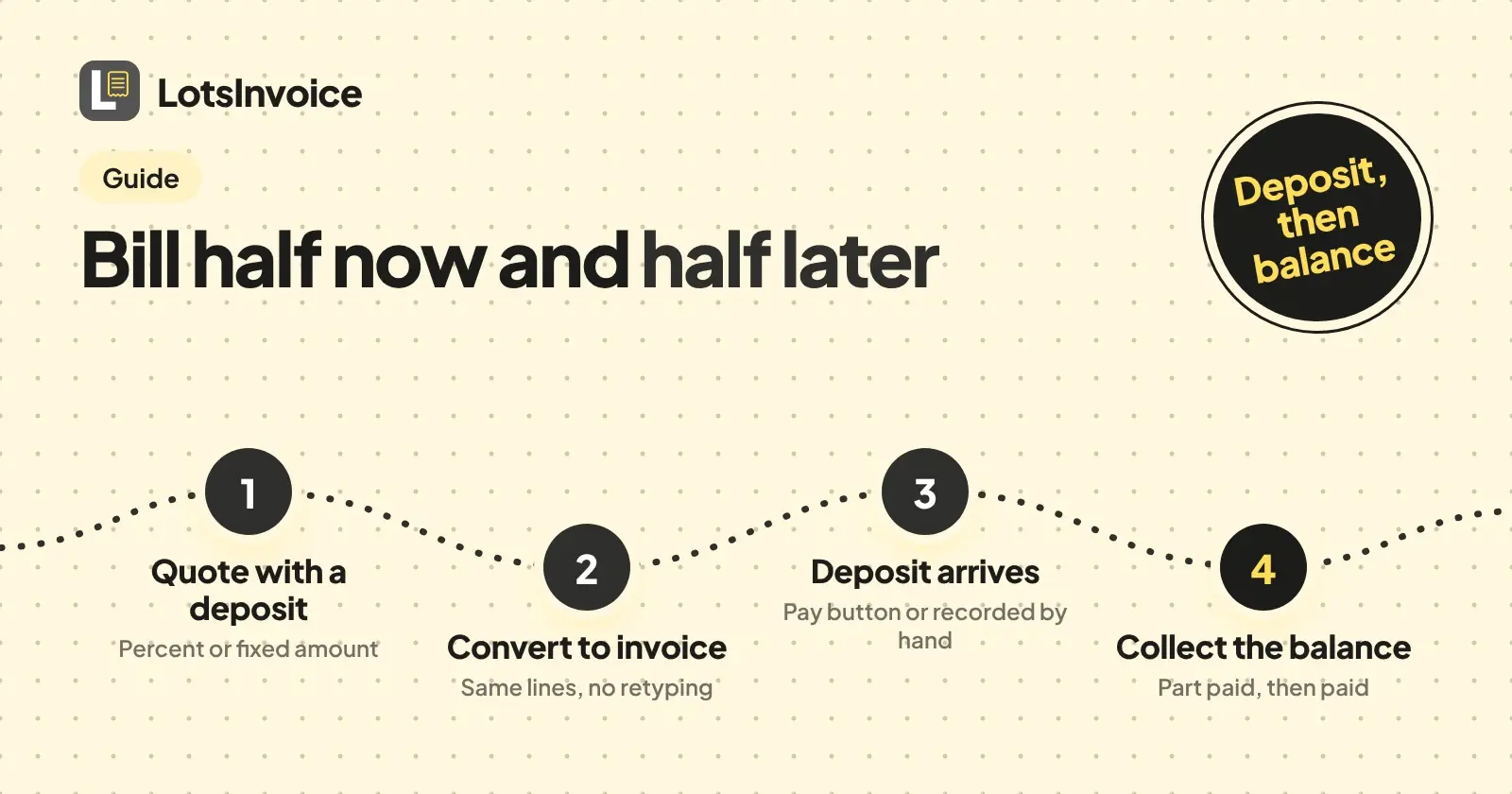
To bill half now and half later, put a deposit of 50% on your quote or invoice, send it, and let your client pay the deposit before you start. In LotsInvoice the deposit is a percentage or a fixed amount on the estimate or the invoice, the payment is recorded against it, and the invoice shows the balance still owed until you collect the rest.
I'm the founder of LotsInvoice, and this is how I'd set up a two-part job. I checked every product detail below against the LotsInvoice docs and help pages on 5 November 2026. The accounting part is general information, not tax advice: where it matters, ask your accountant or your tax authority.
The short version
- Write an estimate for the whole job and add a deposit (for example 50%). The deposit is part of the quote before they accept.
- When they accept, turn the estimate into an invoice.
- The client pays the deposit with the Pay button, or by bank transfer, and you record it.
- Finish the work, then collect the balance: either on the same invoice or on a second one.
- Reminders chase the balance, and the invoice is marked paid when it is.
The rest of this post is the detail, including the one choice that matters: one invoice or two.
The example: a $4,000 job, half up front
Say you build a website for $4,000 and want $2,000 before you start and $2,000 when you deliver. I'll use these numbers all the way through. They are an example, not a rule: some jobs take 30% up front, some take a deposit for materials only, and some are three stages instead of two.
Step 1: put the deposit on the estimate
An estimate (a quote) in LotsInvoice can carry a deposit, set as a percentage (50) or a fixed amount (2000.00). Put it there first, not on the invoice later, so "50% deposit to start" is part of the quote before the client says yes. That is a better conversation than asking for the money after they have accepted.
Use the terms field for the rules you care about: whether the deposit is refundable, what happens if the client cancels, and when the balance falls due. "Deposit non-refundable once work has started" is a typical line, and what you can enforce depends on where you work, so check it with someone who knows your local rules.
The client can accept the estimate in their private portal. Estimates have a valid-until date, and an expired estimate can no longer be accepted, so set it to something sensible.
Step 2: turn it into an invoice
When the estimate is accepted, convert it. LotsInvoice turns an estimate into a draft invoice in one step, with the same lines, so nothing is retyped. Open the draft before you send it and look at three things: the lines and total, the deposit rule, and the due date. The due date decides when reminders start, which is why the next section matters.
One invoice or two?
This is the real decision, and neither answer is wrong.
| One invoice with a deposit | Two invoices: deposit, then balance | |
|---|---|---|
| What you send | The full $4,000 invoice at the start, with a $2,000 deposit | A $2,000 deposit invoice now, a $2,000 balance invoice at delivery |
| Numbers | One invoice number | Two numbers, each with its own date |
| Due date | One due date, usually the end of the job | A separate due date for each |
| Client pays | Deposit now, the rest on the same invoice | Each invoice on its own |
| Reminders | Run from the one due date, show the balance | Each invoice has its own schedule |
| Good when | The job is short and simple and you like one document | The gap is long, or your accountant wants an invoice dated when each part is billed |
Here is how I think about it. A single invoice is tidy, but you have sent a $4,000 invoice on day one for work that has not been done, with a due date weeks away. Two invoices cost you one more document and give each part its own date and its own reminders. For a gap of a few weeks I would usually use two. For a same-week job, one invoice is fine.
If you use one invoice
Send the invoice with the deposit rule on. When online payment is switched on, the client's pay page offers the deposit or the full amount, and another amount if you allow part payments. You can set a smallest part payment, per currency in Settings, Payment and per invoice in the editor.
The invoice page shows whether the deposit has been received. Once the deposit is in, the invoice is marked part paid and shows the balance still owed.
Set the due date to when the balance should arrive, not the day you send it. If you do not want any reminders about the balance while the work is under way, you can turn them off for that one invoice with Send reminders for this invoice, and turn them back on when you deliver.
If you use two invoices
Make the first invoice for the deposit amount, $2,000, and give it a clear title and reference, such as "Deposit invoice, website project". When the deposit arrives, that invoice is paid and done. At delivery, create the second invoice for the remaining $2,000 and mention the first in the reference or notes ("Balance for the website project, deposit invoice paid"). Duplicating the first invoice and changing the lines is the quick way.
If you want numbering to read cleanly across the two, the post on invoice number formats and automatic numbering covers it.
Step 3: record the deposit
If the client pays online, there is nothing to record. When you have connected your own Stripe or Razorpay account in Settings, Payment, ticked Offer online payment on invoices and set Mode to Live, each sent invoice gets a Pay button. The payment goes straight into your account, LotsInvoice never holds the money, and the payment is recorded on the invoice by itself. You get an email with who paid, how much and what is still due, and your client gets a receipt. Payments made in Test mode never count toward an invoice.
If the client pays by bank transfer, Zelle or a check, you record it when it arrives: the amount, the date, the method and a reference. A part payment is fine, and the invoice shows the balance still owed. If a client sends more than the balance, the extra becomes customer credit you can apply to their next invoice. For how each payment option works, see how clients pay you with LotsInvoice.
Step 4: collect the balance
Finish the work and, on the two-invoice route, send the balance invoice. On either route the client can pay from the same link, or the details you put on the invoice. Reminders by default go out 3 days before the due date, on the due date, and 7 and 14 days after, each once, and you can change the schedule in Settings, Reminders. A part-paid invoice keeps getting reminders and each one shows the balance, not the total, and they stop when the invoice is paid or void. You can also send one now with Remind. The wording for those emails is in payment reminder emails to clients, and the way the portal and reminders fit together is in client portal and payment reminders in LotsInvoice.
What the status tells you
| Status | What it means for your deposit |
|---|---|
| Draft | Not sent yet. You can change anything, including the deposit |
| Sent | With the client, nothing paid. You can see when it is viewed |
| Part paid | The deposit or another part has arrived and a balance is owed |
| Overdue | Past the due date and not paid in full |
| Paid | The balance has arrived and reminders have stopped |
| Void | Cancelled |
The accounting side, neutrally
I'm a founder, not your accountant, and the rules differ between countries and even between business types, so treat this as the questions to take to a professional.
A deposit is not the same as earned income. Many accountants treat a deposit as money you hold for work you have not done yet, a customer prepayment, until you deliver. If you account on a cash basis, you may count it when you receive it. If you account on an accrual basis, you may count it when you do the work. Which one applies to you is a question for your accountant.
Tax timing can be triggered by the deposit. In some places sales tax or VAT is due when you receive a deposit or issue an invoice for it; in others it is due on delivery or on the final invoice. This is the single most useful thing to ask about before you bill, because it decides whether the deposit invoice needs tax on it. Your tax authority's own guidance is the source, not a blog post, and LotsInvoice does not give tax advice: it calculates tax from the rates you set.
What to put on a deposit invoice:
- A title that says it is a deposit invoice, and your usual invoice number
- What the deposit is for, with the project name or estimate reference
- The deposit amount, and ideally the percentage and the total job price for context
- The due date and how to pay
- Tax, if your accountant says the deposit carries it
What to put on the final invoice:
- A description of the work delivered and the full job price
- The deposit already received, with its date and the deposit invoice number or receipt reference
- The balance now due, so the client is not asked for the same money twice
- Tax on the whole supply, set up the way your accountant tells you
- Your usual invoice number and due date
If you use one invoice, it is the same list on one page: the full job, the deposit received, the balance. The aim in both cases is that someone reading only the final invoice can see exactly what was agreed, what has been paid and what is still owed.
Refunding or cancelling a deposit
A deposit counts as a payment, so a part-paid invoice cannot simply be revised or voided. If a client cancels, the business owner can refund an online payment from the invoice, for the full amount or part of it, and the balance goes back up. If you will not collect the rest, close the invoice with a credit note. The steps are in how to correct a sent invoice.
If you use an AI assistant
Drafting the estimate, sending documents and recording payments can also be done from the assistant you already use, such as ChatGPT or Claude, connected to LotsInvoice. Ask it to draft the estimate with a 50% deposit, check the totals it reads back, and tell it to send only when you say so. The dashboard does the whole job too.
What it costs
LotsInvoice is $12 a month for one business, or $120 a year, with unlimited invoices, estimates and credit notes, the client portal and reminders. You can also pay as you go at $15 a month per business, charged a little each day, and new accounts get free credits with no card. I take no cut of your payments. See LotsInvoice pricing explained or the pricing page.
Related reading
- Best invoicing software for consultants
- Invoice software for freelancers
- How to invoice a monthly retainer
- The best invoicing software for contractors
FAQ
How do I bill a deposit and the balance later?
Put a deposit, as a percentage or a fixed amount, on the estimate or invoice. The client pays it first, the invoice shows the balance still owed, and you collect the rest on that invoice or on a second one at delivery.
Can my client pay the deposit online?
Yes, once you have connected your own Stripe or Razorpay account, turned on online payment and set the mode to Live. The pay page offers the deposit or the full amount, and another amount if you allow part payments. The money goes into your own account and the payment is recorded on the invoice by itself.
Will the invoice show as paid after the deposit?
No. It shows as part paid, with the balance still owed, and it is marked paid when the balance arrives. Reminders continue on a part-paid invoice and show the balance, so set the due date for when the balance is due.
Do I need a separate invoice for the deposit?
It depends on your tax rules and how your accountant wants the books kept. Some businesses bill the deposit on its own invoice and the balance on a second one; others use one invoice with the deposit recorded against it. Ask your accountant or check your tax authority's guidance.
What if my client pays the deposit by bank transfer?
Record it when it arrives, with the amount, the date, the method and a reference. A part payment is fine, and the invoice shows the balance still owed. If they pay more than the balance, the extra becomes customer credit for their next invoice.
Can I refund a deposit?
If it was paid online, the business owner can refund all or part of it from the invoice, or in the Stripe or Razorpay dashboard, and the balance goes back up. If you will not collect the rest, issue a credit note.