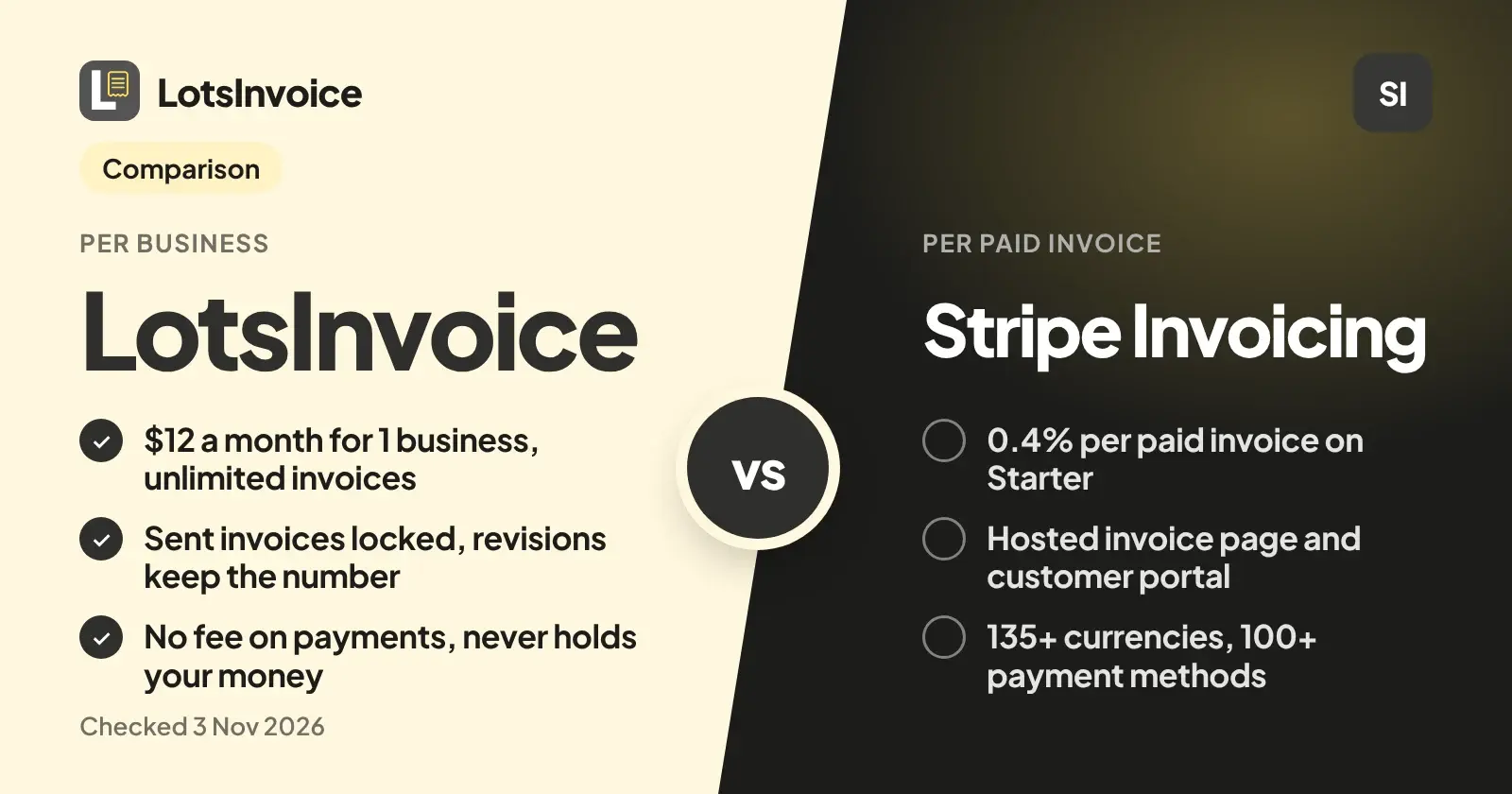
They do different jobs. Stripe Invoicing bills through Stripe: you pay a percentage of every paid invoice, and your customer becomes a Stripe customer. LotsInvoice is invoicing software that never touches the money: you connect your own Stripe or Razorpay account and each invoice you send gets a Pay button, and you record bank transfer, Zelle or a check by hand. If you want a clean invoice record, tidy numbering, safe corrections and one flat price per business, I'd pick LotsInvoice. If you want Stripe to run the whole billing and collection flow, Stripe Invoicing is built for that.
I'm the founder of LotsInvoice, so here is the comparison as plain facts, each one read on the vendor's own page today.
Checked on 3 November 2026.
Where LotsInvoice wins: the invoice record
An invoice is your name on a request for money, so most of what I built is about the record staying right.
- Sent invoices are locked. Once an invoice is sent it is numbered and can't be quietly edited. A change is a revision with a reason, and the invoice keeps the same number. Money already paid? You issue a credit note instead. Here is how that works step by step: how to correct a sent invoice.
- Credit notes have their own series. They don't use up an invoice number, and each one points at the invoice it corrects.
- Void keeps the number. A voided invoice stays in your list with its number, so there is never a hole in the sequence.
- Numbering you set once. Prefix, format and the next number are settings per business. Examples of formats that work are in invoice number format examples and automatic numbering.
- Exact totals and a real preview. Quantities, discounts, several taxes per line and rounding are calculated to the cent, the same in the preview, the PDF and the reports. You check the real PDF before you send.
- Client portal, statements and reminders. Each client gets a private page with their documents, balance and statement. Reminders go out before and after the due date and stop when the invoice is paid.
- Recurring invoices and estimates. Retainers repeat weekly, monthly or yearly, as drafts to review or sent on schedule. Estimates are accepted with a typed name and turn into an invoice in one click.
Where LotsInvoice wins: one price per business
LotsInvoice is priced per business, not per invoice and not per payment. Everything inside a business is unlimited: invoices, estimates, credit notes, customers, items, templates and teammates.
| Plan | Businesses | Monthly | Yearly |
|---|---|---|---|
| Starter | 1 | $12 | $120 |
| Pro | 5 | $29 | $290 |
| Business | 20 | $79 | $790 |
New accounts get free credits when they sign up, no card. LotsInvoice takes no fee on payments. If you connect your own Stripe account, Stripe's normal payment fees apply and nothing is added on top. More on how plans work is in pricing explained and on the pricing page.
What Stripe Invoicing charges
On stripe.com/invoicing/pricing, Stripe says Invoicing has no fixed fees or setup costs, but Stripe Payments pricing applies. Starter is 0.4% per paid invoice. Plus is 0.5% per paid invoice and adds quotes. On stripe.com/pricing, domestic cards are 2.9% + 30 cents per successful transaction.
A worked example with an invoice of $1,187.50 paid by a domestic card:
- Stripe Invoicing Starter: 0.4% is $4.75, plus the card fee of $34.74, so about $39.49 in Stripe fees.
- LotsInvoice with your own Stripe account: the same $34.74 card fee goes to Stripe, and LotsInvoice adds nothing. Your subscription is the flat price per business.
So the difference on that invoice is the invoicing percentage. Whether that matters depends on how many invoices you send and how large they are. Bank transfer, Zelle and checks recorded by hand carry no provider fee at all.
What Stripe does well
Stripe is strong where payments are the point. Its pages say Invoicing supports 25+ languages, 135+ currencies and 100+ payment methods, shows the methods most relevant to the customer's location, and has a Stripe-hosted invoice page and a customer portal. ACH credit and wire payments are reconciled automatically, failed payments get smart retries, and Stripe Tax can calculate and collect sales tax, VAT and GST on invoices. It also offers credit notes, two invoice numbering schemes (per customer or across your account), and one-time or recurring invoices. If you sell worldwide and want collection, tax and reconciliation in one system, that is a real advantage.
Side by side
| LotsInvoice | Stripe Invoicing | |
|---|---|---|
| What it is | Invoicing software, never holds your money | Invoicing built on Stripe Payments |
| Cost | $12 a month for 1 business, $29 for 5, $79 for 20 | 0.4% (Starter) or 0.5% (Plus) per paid invoice, plus Stripe Payments fees |
| Fee on your payments | None from LotsInvoice | Per paid invoice, plus payment fees |
| Online payment | Pay button through your own Stripe or Razorpay account | Stripe-hosted invoice page |
| Other ways to be paid | Bank transfer, Zelle, check and more, recorded by hand | Bank transfers and other methods through Stripe |
| Sent invoices | Locked, corrected by revision (same number) or credit note | Finalized invoices, adjusted with credit notes |
| Credit notes | Own numbering series | Supported |
| Void | Keeps the number | Supported |
| Client portal and statements | Yes, with reminders | Customer portal and automatic reminders |
| Recurring invoices | Yes | Yes |
| Who the customer is | A customer in your LotsInvoice business | A Stripe customer |
| Fits | Freelancers and small businesses who want a clean record and a flat price | Businesses that want Stripe to run billing, tax and collection globally |
Sources: stripe.com/invoicing, stripe.com/invoicing/pricing, stripe.com/pricing, Stripe docs on credit notes, invoice numbering, hosted invoice page, invoice statuses, and lotsinvoice.com. Checked on 3 November 2026.
How clients pay you with LotsInvoice
Connect your own Stripe or Razorpay account and every invoice gets a Pay button for its exact balance. The payment is recorded on the invoice by itself and your client gets a receipt. You can also show bank details, Zelle, a check address and other options you already use, and record those payments yourself. LotsInvoice never holds or moves the money. The full picture is in how clients pay you with LotsInvoice, and is LotsInvoice safe covers what that means for your data and your money.
Which should you pick?
- Pick LotsInvoice if you invoice from one or a few businesses, want an invoice history that adds up, want to fix mistakes without breaking numbering, and prefer a flat price over a percentage of every paid invoice.
- Pick Stripe Invoicing if your customers already live in Stripe, you want Stripe to handle collection, retries and tax, or you invoice in many currencies and payment methods.
- Use both if you like: connect your Stripe account to LotsInvoice, keep Stripe for the payment and LotsInvoice for the invoice.
If you own the business and just want to send an invoice, check the preview, and get paid, you can do all of it in the dashboard. If you'd rather ask an AI assistant to draft it, the same invoices and settings are available that way too.
If you run an agency, each client company can be its own business with its own numbering, logo and customers, and teammates are unlimited.
FAQ
Is LotsInvoice a Stripe alternative?
Not exactly. Stripe Invoicing is built on Stripe Payments and bills a percentage per paid invoice. LotsInvoice is invoicing software that never holds your money. You can connect your own Stripe account to it, so you can use both.
Does LotsInvoice charge a fee when my client pays?
No. LotsInvoice takes no fee on payments. If your client pays through your Stripe or Razorpay account, that provider's usual fees apply.
What does Stripe Invoicing cost?
On Stripe's pages checked on 3 November 2026, Starter is 0.4% per paid invoice and Plus is 0.5% per paid invoice, with no fixed fees or setup costs. Stripe Payments pricing applies on top, for example 2.9% + 30 cents for domestic cards.
Can I edit an invoice after sending it in LotsInvoice?
A sent invoice is locked. You revise it with a reason and it keeps the same number. If money has been paid, you issue a credit note, which has its own numbering series. A void keeps the number too.
Can I get paid by bank transfer, Zelle or check?
Yes. Show those options on your invoices and record the payment by hand when it arrives. A payment made through the Pay button on your connected Stripe or Razorpay account is recorded on the invoice by itself.
How much is LotsInvoice?
$12 a month for 1 business, $29 for 5 and $79 for 20, or $120, $290 and $790 a year. Invoices, estimates, credit notes, customers and teammates are unlimited inside a business. Checked on 3 November 2026.