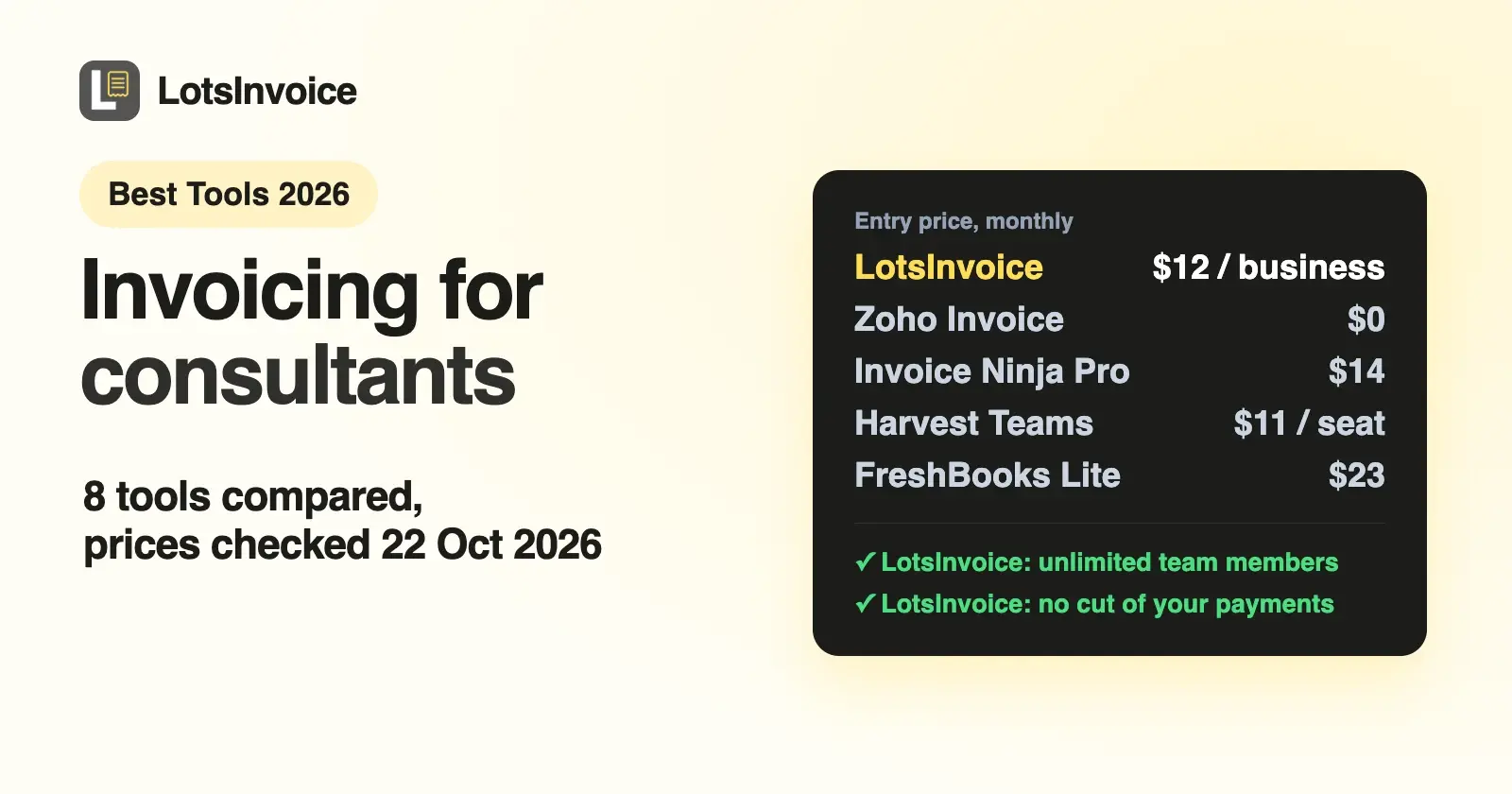
If you want exact, professional invoices in your client's currency, with your own layout and no cut of your payments, LotsInvoice is $12 a month per business. If you bill tracked hours, look at Harvest or Moxie. If you want $0, Zoho Invoice is free for 2 users and 500 invoices a year. For bookkeeping too, FreshBooks or Wave.
Consultants bill in a few ways: a fixed project fee, a monthly retainer, a day rate or hours. The client's finance team often wants a PO number on the invoice, sometimes in their own currency, and your accountant wants a clean record at the end of the year. I opened every vendor's own pricing and feature pages on 22 October 2026 and compared eight tools on those needs. Prices are US dollars before tax, list prices only (no promotions). Sources are linked at the end.
What consultants need from invoicing software
- Rates that match how you bill. Days or hours times your rate, a fixed fee per milestone, or a retainer that repeats every month.
- Estimates or proposals the client can accept, then turn into an invoice without retyping.
- The details the client's accounts payable asks for: PO number, your tax ID, their reference. If it's missing, the invoice waits. (Here's where to put a PO number on an invoice.)
- Their currency. International clients often want to be billed in theirs.
- Follow-up until you're paid, without writing awkward emails yourself.
- A record your accountant can use: numbered invoices, payments received, tax collected, exportable.
- Time tracking, if you bill hours. Some tools build it in; others expect you to bring the hours.
Invoicing software for consultants at a glance
| Tool | Price (monthly unless noted) | Free option | Time tracking | Estimates or proposals | Team cost | Payments |
|---|---|---|---|---|---|---|
| LotsInvoice | $12 per business ($120 a year); Pro $29 for 5 businesses | 15,000 free credits, valid 90 days, no card | No | Estimates, accepted with a typed name | Unlimited team members included | Your own options (Stripe Payment Link, PayPal, Square, bank, ACH, Zelle, check). No cut |
| Zoho Invoice | $0 | Free forever: 2 users, 3 projects, 500 invoices a year, Zoho branding | Yes, projects and timesheets | Quotes | Up to 2 users | Your connected gateway |
| Invoice Ninja | Pro $14 ($140 a year) | Free up to 5 clients | Yes, projects and billable time | Quotes | Extra users on Enterprise, from $18 for 1 to 2 users | Your connected gateway |
| Harvest | Teams $11 per seat ($9 billed annually) | Free: 1 seat, 2 projects | Yes, built around it | Not on the pricing page | Per seat | Integrations such as Stripe |
| FreshBooks | Lite $23 (5 clients), Plus $43 (50), Premium $70 (unlimited) | 30-day trial | Yes | Estimates on Lite; proposals and retainers from Plus | $11 per team member | FreshBooks Payments: cards 2.9% + $0.30, ACH 1% |
| Bonsai | Essentials $25 per user ($19 billed annually) | 7-day trial | Yes | Proposals and contracts from Essentials | Per user | Bonsai Payments, Stripe or PayPal |
| Moxie | Starter $12 ($120 a year), Pro $25, Teams $40 | Free trial | Yes | Proposals and contracts | Teams: up to five team members | Connected Stripe or PayPal |
| Wave | Starter $0; Pro $19 ($190 a year) | Starter | Not on the pricing page | Estimates | Adding users needs Pro | Cards 2.9% + $0.60 on Starter; ACH 1%, $1 minimum |
Checked on 22 October 2026 on each vendor's own pages.
1. LotsInvoice: exact invoices in any currency, no cut of your payments
An invoice is your name on a request for money. It should be right. I built LotsInvoice for agencies, freelancers and consultants, and the small businesses like them, who invoice their own clients and don't want an accounting suite to do it.
- Bill the way you agreed. Save your services as items with a price and a unit (day, hour, month), and each invoice line is quantity times rate, with discounts and several named taxes per line calculated to the cent. The total matches in the preview, the PDF and the reports.
- Retainers that repeat. A recurring invoice repeats every week, month or year (or every few, like every 3 months). Each period can arrive as a draft for you to check, or go out on schedule from your business name. I walked through a real one in how to invoice a monthly retainer.
- Estimates the client accepts. Send a quote, your client accepts it with a typed name in the portal, and you turn it into an invoice in one click.
- What accounts payable asks for. PO number and reference fields, your registration IDs, custom fields, item and accounting codes, and declarations. Set them up once and they're on every invoice. Rename, reorder, hide or add columns to match what a client wants to see.
- The client's currency. Invoice each client in their currency with the right symbol and decimals, and show the total in a second currency at a stated rate when you need both.
- Nothing goes out unchecked. Every invoice starts as a draft next to a preview of the real PDF. You send it when you are ready. Sent invoices are numbered and locked; changes are revisions with a reason, or credit notes.
- Followed up until you're paid. The email goes from your business name with the PDF and a private portal link. You see when it's opened. Reminders go before and after the due date, in your words, and stop when the invoice is paid.
- No cut of your payments. LotsInvoice never holds or moves your money. Your invoices show your own Stripe Payment Link, PayPal or Square link, bank and ACH details, Zelle or a check address. Clients pay you directly and you record the payment when it arrives.
- For your accountant. Who owes what, revenue, tax collected and payments received, with CSV export, and a full export of your data any time. Invite your bookkeeper or a partner as a viewer or editor at no extra cost.
Starter is $12 a month or $120 a year for one business, with unlimited invoices, estimates, clients and team members. Pro is $29 for 5 businesses and Business is $79 for 20, for consultants who invoice from more than one company or trading name. New accounts get 15,000 free credits, valid 90 days, no card. See pricing.
If you work in ChatGPT or Claude, LotsInvoice also works with the AI agent you already use: it drafts invoices from your saved clients and items and asks before anything is sent. Setup is here.
Where LotsInvoice doesn't fit: it doesn't track time, keep your books or charge a client's card inside the invoice, and payments aren't marked paid automatically. If you need those in one app, look at the tools below.
2. Zoho Invoice: free, with timesheets built in
Zoho Invoice costs $0. Its pricing page lists the limits: up to 2 users, a maximum of 3 projects, up to 500 invoices a year, "Powered by Zoho Invoice" branding, and up to two organizations under one account. For consultants it covers a lot: quotes you can turn into projects, projects and timesheets that bill by project or task hours, recurring invoices, payment reminders, a customer portal where clients see invoices, quotes and timesheets, and multiple currencies with exchange rates you enter or import. It can also save a client's card and charge recurring invoices automatically through a connected gateway.
Choose Zoho Invoice if you're solo or two people, fit within 3 projects and 500 invoices a year, and don't mind Zoho's branding. I compared it with LotsInvoice in LotsInvoice vs Zoho Invoice.
3. Invoice Ninja: low-cost Pro with billable time
Invoice Ninja's Free plan covers up to 5 clients with unlimited invoicing, and it already includes projects and billable time, recurring invoices and auto-billing, deposits and partial payments, a client portal and automatic currency conversions. Ninja Pro is $14 a month or $140 a year and adds unlimited clients, custom invoice designs, automatic late-payment reminders, removal of Invoice Ninja branding and up to 10 companies under one login. Additional account users start on Enterprise, from $18 a month for 1 to 2 users. Clients pay through the gateway you connect (Stripe, PayPal, Square, GoCardless and more), and there are apps for macOS, Windows, Linux, iOS and Android.
Choose Invoice Ninja if you want time-to-invoice and quotes at a low monthly price and you're a team of one or two.
4. Harvest: when your invoice is your timesheet
Harvest is time tracking first, with invoicing from tracked hours. The Free plan is 1 seat and 2 projects with time tracking, invoicing and expenses. Teams is $11 per seat a month, or $9 per seat billed annually ($108 per seat a year), and adds team reporting, capacity tracking, and integrations with Stripe, QuickBooks Online and Xero. Enterprise is $17.50 per seat a month ($14 billed annually) with profitability reports and timesheet approvals. Harvest's page adds that as you grow, "additional invoices, projects, clients, and tasks are billed based on what you use", so the seat price is a starting point.
Choose Harvest if you bill by the hour and want the timesheet and the invoice in one place.
5. FreshBooks: invoicing with accounting, priced by clients
FreshBooks is accounting software with strong invoicing. Lite is $23 a month and lets you invoice 5 clients, with estimates. Plus is $43 for 50 clients and adds proposals, client retainers, accounting reports and accountant access. Premium is $70 for unlimited clients and adds project profitability. Each extra team member is $11 a month. Clients can pay by card at 2.9% + $0.30 or by ACH at 1% through FreshBooks Payments, and FreshBooks lists time tracking and expenses too. There's a 30-day free trial.
Choose FreshBooks if you want invoicing, time, expenses and the books in one product, and your client count fits a plan.
6. Bonsai: proposals, contracts and invoices together
Bonsai bundles proposals, contracts, time tracking, projects and invoicing, priced per user. Invoices and payments start on Essentials, $25 per user a month or $19 billed annually, along with proposals and contracts, scheduling and a client portal. Basic ($15, or $9 annually) covers time tracking and projects without invoices. Premium is $39 ($29) and Elite $59 ($49) with a 3-user minimum. Bonsai lists retainer invoices and multi-currency billing among its billing features. There's a 7-day trial. Bonsai also adds fees when clients pay online; I broke those down in what Stripe, PayPal, Square and Bonsai take from every paid invoice.
Choose Bonsai if you win work with proposals and contracts and want them in the same tool as the invoice.
7. Moxie: a client-management suite priced per workspace
Moxie combines projects, proposals, contracts, time tracking and invoicing. Starter is $12 a month ($120 a year), Pro is $25 ($240 a year) and adds a custom domain, white-label portal, automations, an API and QuickBooks integration, and Teams is $40 ($385 a year) for up to five team members. Tracked hours flow into the invoice, recurring invoices suit retainer clients, and reminders and late fees are built in. Clients pay through your connected Stripe or PayPal account, in 81+ currencies.
Choose Moxie if you want one workspace for the whole client relationship and your team is five people or fewer.
8. Wave: free invoicing inside free bookkeeping
Wave's Starter plan is $0 with unlimited estimates, invoices, bills and bookkeeping records. Pro is $19 a month or $190 a year and adds bank-transaction import, receipt capture and automated late-payment reminders. Card payments cost 2.9% + $0.60 on Starter, and on Pro the first 10 card payments each month are 2.9% + $0 before Starter rates apply. Bank payments are 1% with a $1 minimum. Online payments need Wave's approval, including identity verification and a credit review.
Choose Wave if you want invoices and simple books in one free app.
Same list for freelancers and contractors?
Mostly, yes. Invoice software for freelancers and contractors needs the same things: an exact total, your details and the client's, a way to get paid and a follow-up. The difference is volume and team. A freelancer starting out can stay at $0 with Zoho Invoice or Wave, or Invoice Ninja for up to 5 clients. Once invoices go to bigger clients who want PO numbers, their currency and a clean record, or a partner joins you, a paid tool earns its price. For agencies, I wrote a separate list: the best invoicing software for agencies and freelancers.
How to choose
- You bill days, retainers or fixed fees and want every invoice exact, in the client's currency, with no cut of payments: LotsInvoice.
- You bill tracked hours: Harvest, Moxie, or Invoice Ninja on a budget.
- You want $0 and fit the limits: Zoho Invoice or Wave.
- You sell with proposals and contracts: Bonsai or Moxie.
- You want your books in the same app: FreshBooks or Wave.
FAQ
What is the best invoicing software for consultants?
It depends on how you bill. If you charge day rates, retainers or fixed fees and want exact, on-brand invoices in the client's currency with no cut of your payments, LotsInvoice is $12 a month per business. If you bill tracked hours, Harvest or Moxie. If you want it free, Zoho Invoice.
Is there free invoicing software for consultants and freelancers?
Yes. Zoho Invoice is free for up to 2 users, 3 projects and 500 invoices a year, with Zoho branding. Wave Starter is free, with card fees of 2.9% + $0.60. Invoice Ninja is free for up to 5 clients, and Harvest for 1 seat and 2 projects. Checked on 22 October 2026.
Can I invoice clients in another currency?
Yes, in most of these tools. LotsInvoice invoices each client in their own currency and can show the total in a second currency at a stated rate. Zoho Invoice supports multiple currencies with exchange rates you add, Invoice Ninja lists automatic currency conversions, and Moxie takes payments in 81+ currencies through Stripe or PayPal.
Does LotsInvoice track time?
No. LotsInvoice does invoices, estimates, recurring invoices, reminders and the client portal. If you bill hours, save your hourly or daily rate as an item and enter the quantity, or use a time tracker such as Harvest alongside it.
Can my clients pay by card if I use LotsInvoice?
Yes, through the payment options you already use. Add your Stripe Payment Link, PayPal or Square link and it appears on every invoice and in the client portal, next to bank, ACH, Zelle or check details. Clients pay you directly, and you record the payment when it arrives.