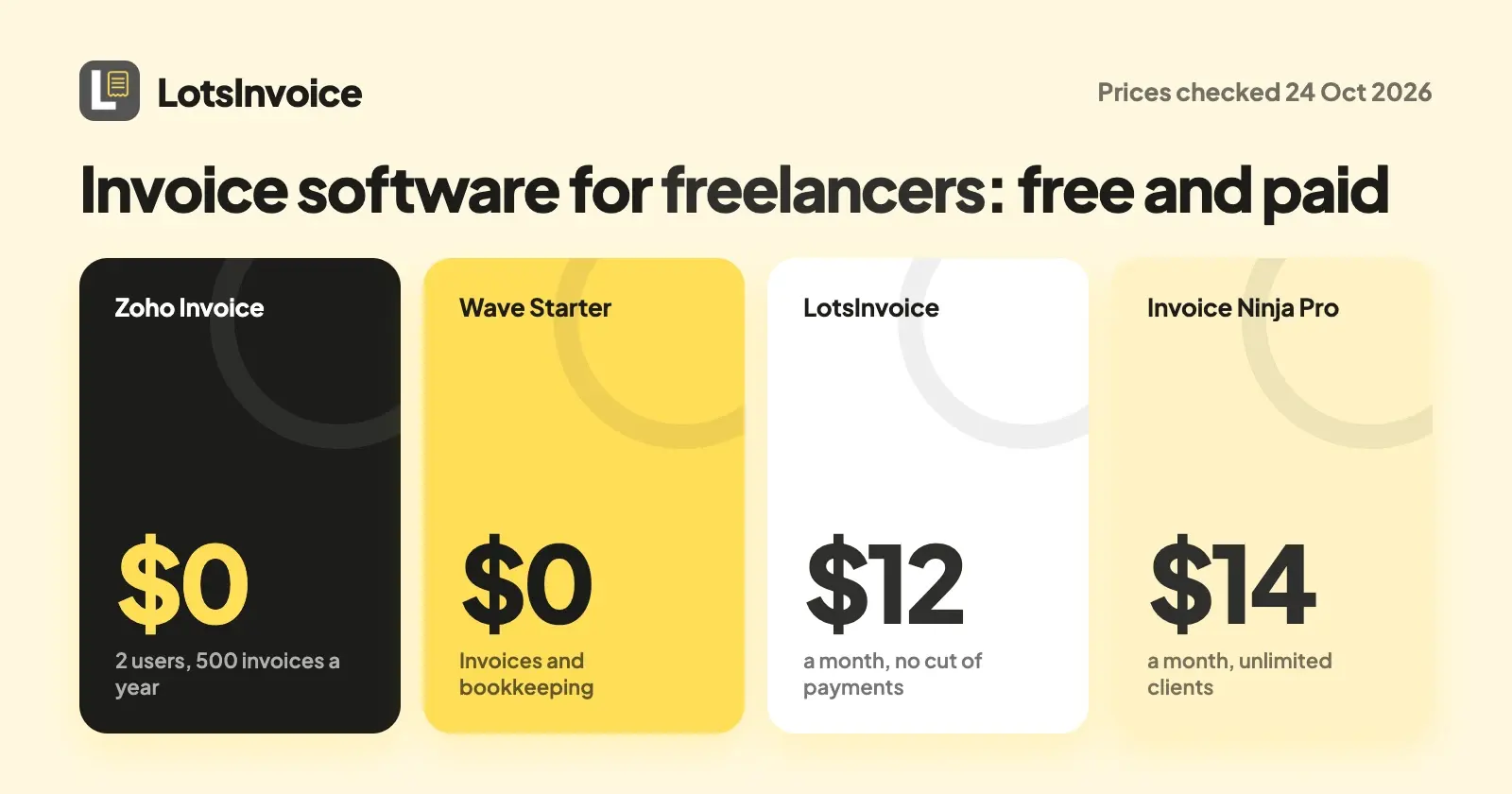
Zoho Invoice and Wave Starter are free, and both are good ones: Zoho Invoice for invoicing (2 users, 500 invoices a year), Wave Starter for invoices plus bookkeeping. If you want exact, branded invoices, unlimited clients and no cut of your payments, LotsInvoice is $12 a month. Prices checked on 24 October 2026.
A solo freelancer asks four things of invoicing software: can I start free, what will I pay once I'm busy, how do I get paid, and will my records hold up at tax time. I opened each vendor's own pricing and payments pages on 24 October 2026 and answer those four, tool by tool. Prices are US dollars before tax, list prices only (no promotions). Sources are linked at the end. I built LotsInvoice, so it's in the list, with what it doesn't do.
Free invoice software for freelancers
Six tools below have a $0 plan. They are not equal, so check the limit that matters to you.
| Free plan | What you get | The catch |
|---|---|---|
| Zoho Invoice | Invoicing, quotes, recurring invoices, time and expenses | 2 users, 3 projects, 500 invoices a year, "Powered by Zoho Invoice" branding |
| Wave Starter | Unlimited estimates, invoices, bills and bookkeeping records | Card payments cost 2.9% + $0.60; Wave branding stays on Starter; roles (admin, editor, viewer) need Pro |
| Invoice Ninja Free | Unlimited invoicing | Up to 5 clients; "Created by Invoice Ninja" label |
| Square Invoices Free | Invoices you send and get paid through Square | Card payments on an invoice 3.3% + 30¢ |
| Harvest Free | Time tracking, invoicing and expenses | 1 seat, 2 projects |
| ZipBooks Starter | Unlimited invoices, customers and vendors, basic reports, 1 bank account | Payments through Square or PayPal; recurring invoices, reminders and time tracking are on paid plans |
Checked on 24 October 2026 on each vendor's own pages.
Credit where it's due. Zoho Invoice and Wave Starter give a freelancer more for $0 than many paid plans did a few years ago, and for a lot of one-person businesses either one is the right answer. Zoho's 500 invoices a year is far more than a freelancer sends. Wave's free bookkeeping means your invoices and your books live in one place.
What a solo freelancer pays on a paid plan
When you outgrow a free plan, the question is what one person pays. Per-user pricing matters less when you're alone, but client caps, invoice caps and per-business pricing matter a lot.
| Tool | Cheapest plan that fits a busy solo freelancer | What limits it |
|---|---|---|
| LotsInvoice | Starter $12 a month or $120 a year | 1 business; unlimited invoices, clients, estimates and team members |
| Invoice Ninja | Pro $14 a month or $140 a year | Pro removes the 5-client cap |
| Invoice Simple | Premium $21.99 a month or $219.99 a year | Essentials ($6.99) caps you at 3 invoices a month, Plus ($14.99) at 10 |
| FreshBooks | Lite $23 a month | Invoices to 5 clients; Plus $43 for 50 clients |
| Bonsai | Essentials $25 a month, or $19 billed annually, per user | Invoices start on Essentials; Basic ($15, or $9 annually) has no invoices |
| Harvest | Teams $11 per seat a month, or $9 billed annually | Per seat; page notes extra invoices, projects and clients are billed on use |
| Wave | Pro $19 a month or $190 a year | Adds bank import, receipt capture, late reminders, branding removal |
Checked on 24 October 2026.
The pattern: if you're one person with a handful of clients, $0 works. If you have more than 5 clients, send many invoices or want your own branding, a flat $12 to $14 a month is the usual next step. The accounting suites (FreshBooks, Wave Pro) cost more because they do more.
1. LotsInvoice: exact invoices, any currency, no cut of your payments
An invoice is your name on a request for money. It should be right. LotsInvoice is the invoicing tool I built for agencies, freelancers and small businesses who invoice their own clients and don't need an accounting suite to do it.
- Right to the cent. Quantity times rate, discounts and several named taxes per line, calculated to the cent. The total is the same in the preview, the PDF and the reports.
- Checked before it goes. Every invoice starts as a draft next to a preview of the real PDF. You send it when you are ready. Sent invoices are numbered and locked; changes are revisions with a reason, or credit notes.
- Your look, set up once. Logo, colours, font, numbering, columns, PO and reference fields, your registration ID. Nine designs, US Letter or A4.
- Followed up until you're paid. Email from your business name with the PDF and a private client portal link. You see when it's opened. Reminders before and after the due date, in your words, stop when the invoice is paid.
- No cut of your payments. LotsInvoice never holds or moves your money. Your invoices show your own Stripe Payment Link, PayPal or Square link, bank and ACH details, Zelle, Venmo or a check address. Clients pay you directly and you record the payment when it arrives.
- Records for tax time. Reports for who owes what, revenue, tax collected and payments received, each exportable as CSV, plus a full export of your business at any time. Tax presets, including one for US freelancers, set up columns and labels as a starting point to check with your accountant.
Starter is $12 a month or $120 a year for one business, with unlimited invoices, estimates, clients and team members. A freelancer usually has one business. Pro is $29 for 5 businesses if you run several brands. New accounts get 15,000 free credits, valid 90 days, no card. See pricing.
Where LotsInvoice doesn't fit: it doesn't track time, and it doesn't put a card form inside the invoice. Your client pays through the link or details you add, and you mark the invoice paid yourself. It also isn't bookkeeping: no bank feeds or expenses. If you bill hours, track them in a timer you like and enter the quantity.
If you work in ChatGPT or Claude, LotsInvoice also works with the AI agent you already use: it drafts invoices from your saved clients and items and asks before anything is sent. Setup is here.
2. Zoho Invoice: free, with time and expenses
Zoho Invoice is $0 forever. Its page lists the limits: up to 2 users, a maximum of 3 projects, up to 500 invoices a year, "Powered by Zoho Invoice" branding, and up to two organizations under one account. It includes quotes, recurring invoices, reminders, a customer portal, time tracking and expense recording. Zoho doesn't charge a fee of its own on payments you receive; the gateway you connect (Stripe, PayPal, Square and others) may charge its processing fee.
Choose Zoho Invoice if you're solo, you'll stay under 3 projects and 500 invoices a year, and the branding doesn't bother you. I put it side by side with mine in LotsInvoice vs Zoho Invoice.
3. Wave: free invoices and bookkeeping in one app
Wave Starter is $0 with unlimited estimates, invoices, bills and bookkeeping records, and a mobile app. Pro is $19 a month or $190 a year and adds automatic bank import, receipt capture, automated late-payment reminders, user roles and removal of Wave branding. Wave earns its money on payments: cards are 2.9% + $0.60 on Starter, and bank payments are 1% with a $1 minimum. Online payments need Wave's approval, which includes identity verification and a credit review.
Choose Wave if you want invoices and simple books together at no monthly cost. The longer comparison is in Wave alternatives for agencies and freelancers.
4. Invoice Ninja: free up to 5 clients, then $14
Invoice Ninja Free covers up to 5 clients with unlimited invoicing. Pro is $14 a month or $140 a year, removes the client cap and adds custom designs, automatic late-payment reminders, an API and removal of the Invoice Ninja label. Its payments page lists many gateways (Stripe, PayPal and Venmo, Square, GoCardless and more) and doesn't describe a fee of its own; only your gateway's fee applies.
Choose Invoice Ninja if you want a low-cost invoicing tool with a lot of settings and your own gateway.
5. Square Invoices: free if you already use Square
Square Invoices Free is $0 a month. You pay when clients pay: online or invoice card payments are 3.3% + 30¢ on Free (2.9% + 30¢ on Plus at $49 a month per location), and ACH bank transfers on an invoice are 1% with a $1 minimum.
Choose Square if you already take payments with Square and want invoices in the same place.
6. Harvest: time tracking first
Harvest Free is 1 seat and 2 projects with hour logging, client billing and expense tracking. Teams is $11 per seat a month or $9 per seat billed annually. Choose Harvest if you bill by the hour and the timesheet should be the invoice.
7. ZipBooks: free invoicing inside simple accounting
ZipBooks Starter is free: unlimited invoices, customers and vendors, payments through Square or PayPal, basic reports and one bank account. Its paid plans (Smarter and Sophisticated) add recurring invoices with auto-bill, automated reminders, time tracking and more bank accounts; the pricing page prints their prices without a currency, so check it before you buy.
8. Invoice Simple: invoicing from your phone
Invoice Simple prices by how many invoices you send: Essentials $6.99 a month ($69.99 a year) for up to 3 invoices a month, Plus $14.99 ($149.99) for up to 10, and Premium $21.99 ($219.99) for unlimited. It offers a 14-day trial on mobile. Choose it if you send a few invoices a month, mostly from a phone.
9. FreshBooks: invoicing with accounting
FreshBooks is accounting software with strong invoicing. Lite is $23 a month for invoices to 5 clients, Plus $43 for 50 clients and Premium $70 for unlimited clients. Each extra team member is $11 a month. FreshBooks Payments are 2.9% + $0.30 for cards and 1% for ACH. There's a 30-day free trial. Choose FreshBooks if you want invoices and the books in one paid product and your client count fits a plan.
10. Bonsai: proposals, contracts and invoices
Bonsai bundles proposals, contracts, time tracking and invoicing, priced per user. Invoices and payments start on Essentials at $25 a month ($19 billed annually). Basic, at $15 ($9 annually), covers time tracking and projects without invoices. Choose Bonsai if you win work with proposals and contracts and want them next to the invoice. I compared it in Bonsai alternatives for freelancers and small agencies.
Getting paid: what each tool takes
"Free" software usually earns its money when your client pays. Here are the fees each vendor lists for online payments. The last column is my arithmetic on a $1,000 invoice paid by card, using the listed rates.
| Tool | Card payment on an invoice | Bank (ACH) | Card fee on $1,000 |
|---|---|---|---|
| Wave (Starter) | 2.9% + $0.60 | 1%, $1 minimum | $29.60 |
| Square Invoices (Free) | 3.3% + 30¢ | 1%, $1 minimum | $33.30 |
| FreshBooks | 2.9% + $0.30 | 1% | $29.30 |
| PayPal invoicing | 2.99% + $0.49 (cards); 3.49% + $0.49 (PayPal, Venmo) | 1%, capped at $10 | $30.39 (cards) |
| Zoho Invoice | None of its own; your gateway's fee | Your gateway | Your gateway's rate |
| Invoice Ninja | None of its own described; your gateway's fee | Your gateway | Your gateway's rate |
| LotsInvoice | None. It never holds your money; you pick the options | Your own bank details or ACH link | Whatever your own provider charges |
Checked on 24 October 2026. PayPal adds 1.50% on international invoicing transactions, and its Invoice Subscription Service is $14.99 a month if you choose it. Wave's online payments need approval.
Two honest points. If you want the invoice itself to take a card with the paid status updating on its own, Wave, FreshBooks, Square and PayPal do that, and LotsInvoice doesn't. And with LotsInvoice, Zoho Invoice or Invoice Ninja you set up your own gateway (Stripe, PayPal, Square), so the fee is that provider's, not the invoicing tool's. I broke the percentages down further in what Stripe, PayPal, Square and Bonsai take from every paid invoice, and explain how clients pay in how clients pay you with LotsInvoice.
Tax-ready records: what to look for
Your accountant needs four things from a freelancer: every invoice numbered and unaltered, what was paid and when, the tax you collected, and a way to export it all.
- Numbered, locked invoices. In LotsInvoice a sent invoice is locked, and a change is a revision with a reason or a credit note, so the number on your PDF matches the record.
- Payments received, by method. LotsInvoice reports payments received per currency, plus revenue and who owes what, as CSV.
- Tax collected. If you charge sales tax or VAT, you need a report of it. LotsInvoice has a tax report and presets for several tax setups as a starting point to check with your accountant. Tax rates are yours to set.
- Books, not just invoices. Wave Starter keeps free bookkeeping records and Pro adds bank import and receipt capture; FreshBooks is accounting software. Zoho Invoice, Invoice Ninja and LotsInvoice are invoicing tools, so your accountant may still want your bank statements.
Invoicing as a contractor
If you searched for a software contractor invoice, the document is the same as any freelance invoice, with the details an accounts-payable team looks for: your name and registration or tax ID, the client's name and any PO or reference number, the period, hours or days times your rate on separate lines, tax if you charge it, payment details and the due date. Save your day or hourly rate as an item, change the quantity each month, and put the PO number on the invoice (here is where to put a PO number on an invoice). If you track hours, Harvest Free or Zoho Invoice's timesheets keep them next to the invoice; with LotsInvoice you enter the quantity. For consultants, see the best invoicing software for consultants.
How to choose
- Start at $0: Zoho Invoice for invoicing, Wave Starter for invoices and books.
- More than 5 clients, your own branding, unlimited invoices, no cut of payments: LotsInvoice at $12 a month, or Invoice Ninja Pro at $14.
- Bill by the hour: Harvest, or Zoho Invoice's timesheets.
- Take cards inside the invoice with the status updating by itself: Wave, FreshBooks, Square or PayPal.
- Books in the same app: Wave or FreshBooks.
FAQ
What is the best free invoice software for freelancers?
Zoho Invoice and Wave Starter are both free. Zoho Invoice allows 2 users, 3 projects and 500 invoices a year, with Zoho branding. Wave Starter has unlimited invoices and free bookkeeping, with card payments at 2.9% + $0.60. Invoice Ninja is free for up to 5 clients.
How much does invoice software cost for one freelancer?
From $0 on the free plans above. Paid plans for one person start around $12 to $14 a month: LotsInvoice Starter is $12 ($120 a year) and Invoice Ninja Pro is $14 ($140 a year). FreshBooks Lite is $23 for 5 clients. Checked on 24 October 2026.
Does free invoice software charge fees when clients pay?
The software is free, but payments often are not. Wave charges 2.9% + $0.60 on cards, Square 3.3% + 30 cents, and PayPal 2.99% + $0.49. Zoho Invoice and Invoice Ninja add no fee of their own, but your payment gateway charges its normal rate. LotsInvoice takes no cut of payments.
What do I need on an invoice as a software contractor?
Your name and tax or registration ID, the client's name, a PO or reference number if they use one, the period, hours or days times your rate, any tax, payment details and a due date. Save your rate as an item in LotsInvoice and change the quantity each period.
Does LotsInvoice track time or take card payments?
No. LotsInvoice doesn't track time, and it doesn't put a card form inside the invoice. Your invoice shows your own Stripe Payment Link, PayPal, Square, bank, ACH or Zelle details, clients pay you directly, and you record the payment when it arrives.