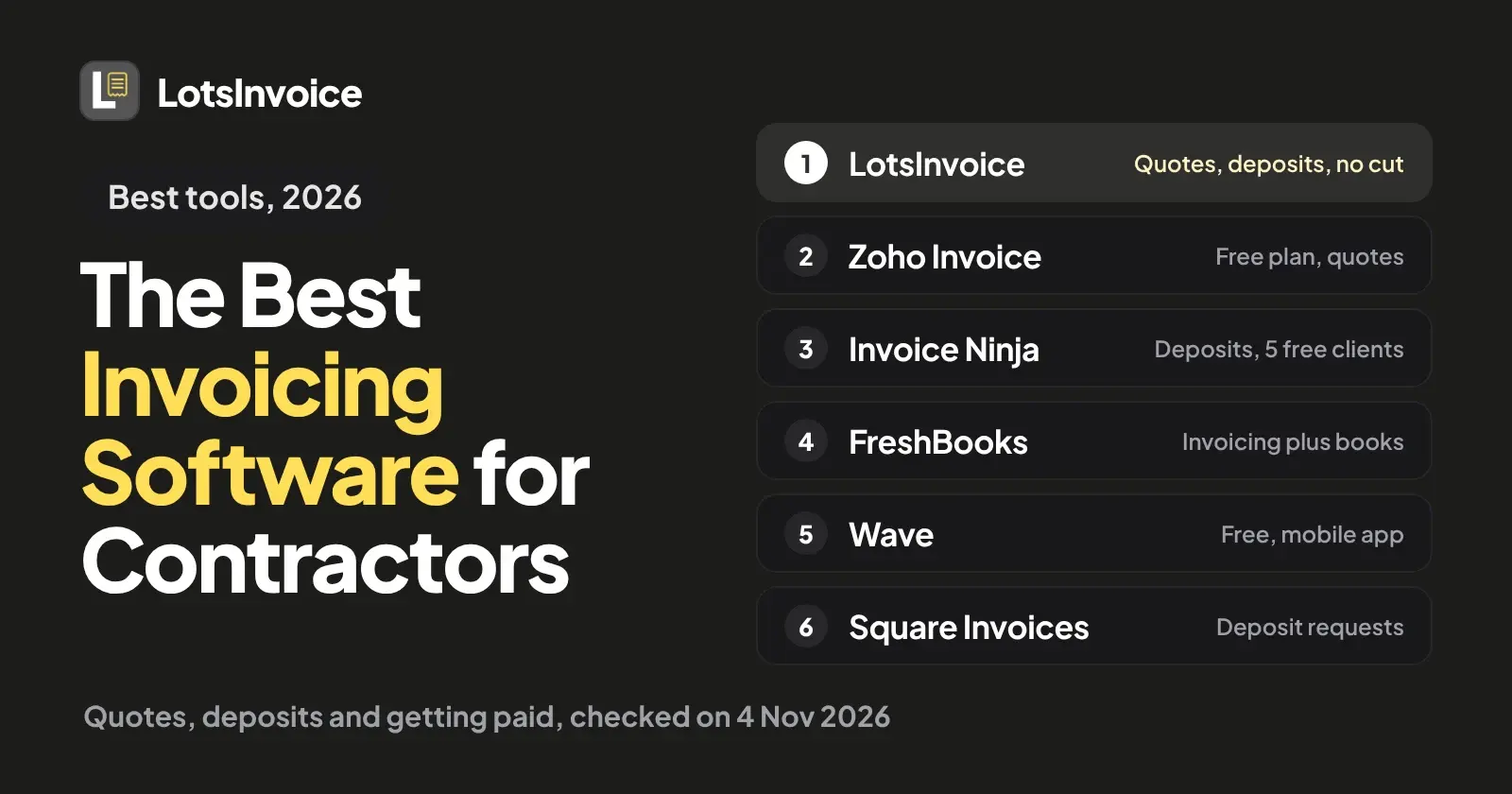
If you want to send a quote the client accepts, take a deposit before you start, and send invoices under your own name with no cut of your payments, LotsInvoice is $12 a month per business. If you want $0, look at Zoho Invoice or Wave. If you want deposit requests and card payments through one provider, look at Square Invoices. If you want your books in the same app, look at FreshBooks.
Contractors bill differently from most freelancers. You quote the job first, ask for money up front, buy materials with sales tax on them, and the client's office often wants a PO number before it pays. I opened each vendor's own pricing and feature pages on 4 November 2026 and compared six tools on those needs. Prices are US dollars before tax, list prices only, with no promotions. Sources are linked at the end.
What contractors need from invoicing software
- A quote the client can accept, then turn into an invoice without retyping a single line.
- A deposit before you start, as a percentage or a fixed amount, so the job is booked and the materials are covered.
- Invoices that go out the day the job is done, from your own business name, so you are not invoicing from the kitchen table on Sunday night.
- Materials, labour and tax on separate lines. Several taxes on one line (state and county, for example), a PO number and a ship-to address when the client asks for them.
- An easy way for the client to pay: a Pay button, a link, or the way they already pay you, like check, Zelle or bank transfer.
- Reminders that follow up for you and stop when the invoice is paid.
- A record your accountant can use at the end of the year.
Invoicing software for contractors at a glance
| Tool | Price (monthly unless noted) | Free option | Quotes | Deposits | Apps | How clients pay |
|---|---|---|---|---|---|---|
| LotsInvoice | $12 per business ($120 a year); Pro $29 for 5 businesses | Free credits, no card | Estimates, accepted with a typed name, converted in one click | Percentage or fixed amount on a quote or invoice | Web dashboard | Pay button through your own Stripe or Razorpay account; PayPal, Square, ACH, Zelle, Venmo, check or bank details recorded by hand. No cut |
| Zoho Invoice | $0 | Free: 2 users, 3 projects, 500 invoices a year, Zoho branding | Quotes, converted to invoices | Partial and full payments in the client portal | iOS and Android | Your connected gateway |
| Invoice Ninja | Pro $14 ($140 a year); Enterprise from $18 | Free: up to 5 clients | Quotes with e-signature | Deposits and partial payments on every plan | iOS, Android, macOS, Windows, Linux | Your connected gateway |
| FreshBooks | Lite $23, Plus $43, Premium $70 | 30-day free trial | Estimates on Lite; proposals from Plus | Accept Deposits listed under billing | Mobile app | Cards, ACH, Apple Pay, Google Pay |
| Wave | Starter $0; Pro $19 ($190 a year) | Starter | Estimates | Deposits through estimates, with online payments | Mobile app | Cards 2.9% + $0.60 on Starter; ACH 1%, $1 minimum |
| Square Invoices | Free; Plus $49; Premium $149 | Free | Estimates, converted to invoices | Deposit requests with a separate due date for the balance | Dashboard and Square POS app | Card, Apple Pay, Google Pay, Cash App Pay, ACH, Afterpay |
Checked on 4 November 2026 on each vendor's own pages. Square's prices are the plan prices in the data on its invoices page.
1. LotsInvoice: quotes, deposits and invoices under your own name
An invoice is your name on a request for money. It should be right. I built LotsInvoice for business owners, freelancers and consultants who invoice their own clients, and contractors fit that: you quote, you ask for a deposit, you invoice, you want to be paid. Everything below is how it works today.
- Quote, then invoice. Send an estimate, your client accepts it with a typed name, and you turn it into an invoice in one click.
- A deposit on the job. Put a deposit on a quote or an invoice, as a percentage or a fixed amount. When online payment is on, the client can pay the deposit or the full amount, and another amount if you allow part payments.
- Materials, labour and tax, exact. Save your services and materials as items with a price and a unit. Each line is quantity times rate, with discounts and several named taxes per line (state and county, say) calculated to the cent. The total is the same in the preview, the PDF and the reports. Add a PO number, a ship-to address and shipping when the client's accounts team needs them. There is a layout with hours and rate columns too, and you can rename, reorder or hide columns.
- Nothing goes out unchecked. Every invoice starts as a draft next to a preview of the real PDF. You send it when you are ready. Sent invoices are numbered and locked; if something changes, you make a revision with a reason or a credit note. I wrote up the options in how to correct a sent invoice.
- Followed up until you are paid. The email goes from your business name with the PDF and a private portal link, and you see when it is opened. Every sent invoice also has a short pay link you can share. Reminders go before and after the due date, in your words, and stop when the invoice is paid.
- No cut of your payments. LotsInvoice never holds or moves your money. Connect your own Stripe or Razorpay account in Settings, Payment, and every sent invoice gets a Pay button for its balance, recorded on the invoice by itself. Your invoices can also show PayPal, Square, bank details, ACH, Zelle, Venmo or a mailing address for checks, and you record those payments when they arrive. LotsInvoice adds no fee; your provider's usual fees apply. More in how clients pay you with LotsInvoice.
- A record for your accountant. Who owes what by age, revenue, tax collected and payments received, with CSV export, plus a full export of your data any time. Invite your bookkeeper as a viewer or editor at no extra cost.
Starter is $12 a month or $120 a year for one business, with unlimited invoices, estimates, customers and team members. Pro is $29 for 5 businesses and Business is $79 for 20, for contractors who run more than one company or trading name. New accounts get free credits, no card. See pricing.
If you already work in ChatGPT or Claude, LotsInvoice works with the AI agent you already use: it drafts invoices from your saved customers and items, and sending stays off until you turn it on. Setup is here.
LotsInvoice is for quotes, invoices and getting paid. It is not accounting, payroll, scheduling or time tracking, so if you want your books in the same app, look at FreshBooks or Wave below.
2. Zoho Invoice: free, with quotes and phone apps
Zoho Invoice costs $0. Its pricing page lists the limits: up to 2 users, a maximum of 3 projects, up to 500 invoices a year and "Powered by Zoho Invoice" branding, with up to two organizations under one account. Zoho lists contractors and construction businesses under "Best suited for". You get quotes that convert to an invoice when the customer accepts, recurring invoices, payment reminders, expenses, time and project logging, and a customer portal where clients can view and accept quotes and pay in full or in part. Zoho Invoice has iOS and Android apps.
Choose Zoho Invoice if you are one or two people, fit inside 3 projects and 500 invoices a year, and don't mind Zoho's branding. I compared it with LotsInvoice in LotsInvoice vs Zoho Invoice.
3. Invoice Ninja: low cost, with deposits on every plan
Invoice Ninja's Free plan covers up to 5 clients with unlimited invoicing, 11 invoice templates, your logo, online payments, recurring invoices and auto-billing, projects and billable time, a client portal, and deposits and partial payments. Quotes can be approved with an e-signature. Ninja Pro is $14 a month or $140 a year and adds unlimited clients, custom invoice designs, automatic late-payment reminders, no Invoice Ninja branding and up to 10 companies under one login. Enterprise starts at $18 a month for 1 to 2 users. Clients pay through the gateway you connect, and there are native apps for iOS, Android, macOS, Windows and Linux.
Choose Invoice Ninja if you want deposits, quotes and a low monthly price, and you can live with 5 clients on Free or Pro's $14. More in Invoice Ninja alternatives.
4. FreshBooks: invoicing with the books and a phone app
FreshBooks is accounting software with strong invoicing. Lite is $23 a month and lets you invoice 5 clients, with estimates. Plus is $43 for 50 clients and adds proposals and client retainers, accounting reports and accountant access. Premium is $70 for unlimited clients and adds project profitability. Each extra team member is $11 a month. Its billing features list accepting deposits, late fees, recurring invoices and e-signatures on estimates, and clients can pay by card, ACH, Apple Pay or Google Pay. There is a mobile app, time tracking and expense tracking, and a 30-day free trial.
Choose FreshBooks if you want invoicing, expenses and the books in one product, and your client count fits a plan. See LotsInvoice vs FreshBooks.
5. Wave: free invoices with a mobile app
Wave's Starter plan is $0 with unlimited estimates, invoices, bills and bookkeeping records, and a mobile app for invoicing on the go. Pro is $19 a month or $190 a year and adds bank-transaction import, receipt capture and automated late-payment reminders. Online payments are an option on top: cards at 2.9% + $0.60 on Starter, and bank payments at 1% with a $1 minimum. Wave lists accepting deposits through estimates when online payments are on.
Choose Wave if you want free invoices and simple books in one app. I compared it with LotsInvoice in LotsInvoice vs Wave.
6. Square Invoices: deposit requests and payment schedules for a job
Square Invoices lists a Free plan, Plus at $49 and Premium at $149. For job work it lists deposit requests with a separate due date for the remaining balance, payment schedules that put several payments on one invoice tied to milestones or phases, estimates that convert to invoices, recurring invoices, automatic reminders before, on or after the due date, contracts with e-signature, and cards kept on file. Clients can pay by card, Apple Pay, Google Pay, Cash App Pay, ACH or Afterpay, and you can send an invoice by email, text or a shareable link.
Choose Square Invoices if you want card payments, deposits and milestone payments from the same provider, and you are happy to take payments through Square.
Same list for subcontractors and independent contractors?
Mostly, yes. A subcontractor invoicing a general contractor needs the same things: an exact total, a PO or job reference, the right tax, and a clean record. The difference is how many clients you have and who asks for what. Starting out, you can stay at $0 with Zoho Invoice, Wave or Invoice Ninja's Free plan. Once clients want PO numbers, a deposit up front and an invoice that arrives from your own business name, a paid tool earns its price. If you invoice for consulting work too, I wrote the best invoicing software for consultants and invoice software for freelancers. If a client wants a PO number, see where to put a PO number on an invoice.
How to choose
- You quote, take a deposit and want every invoice exact, sent under your own name, with no cut of your payments: LotsInvoice.
- You want $0 and fit the limits: Zoho Invoice, Wave, or Invoice Ninja Free.
- You want deposits and milestone payments inside the payment provider: Square Invoices.
- You want invoices and the books together: FreshBooks or Wave.
- You want a client portal and reminders that stop when paid: see the best invoicing software with a client portal.
FAQ
What is the best invoicing software for contractors?
It depends on how you work. If you quote jobs, take a deposit and want exact invoices sent from your own business name with no cut of your payments, LotsInvoice is $12 a month per business. If you want it free, Zoho Invoice or Wave. If you want the books too, FreshBooks.
Is there free invoicing software for contractors?
Yes. Zoho Invoice is free for up to 2 users, 3 projects and 500 invoices a year, with Zoho branding. Wave Starter is free, with card payments at 2.9% + $0.60. Invoice Ninja is free for up to 5 clients, and Square Invoices lists a Free plan. Checked on 4 November 2026.
Can I take a deposit before I start a job?
Yes, in most of these tools. In LotsInvoice you put a deposit, as a percentage or a fixed amount, on a quote or an invoice, and the client can pay the deposit or the full amount online. Invoice Ninja lists deposits on every plan, Square lists deposit requests, FreshBooks lists accepting deposits, and Wave lists deposits through estimates.
How do my clients pay a contractor invoice?
It depends on the tool. In LotsInvoice, connect your own Stripe or Razorpay account and each sent invoice gets a Pay button, recorded on the invoice by itself. You can also show PayPal, Square, bank details, ACH, Zelle, Venmo or a check address and record those payments by hand. LotsInvoice adds no fee; your provider's usual fees apply.
Does LotsInvoice do accounting, time tracking or job scheduling?
No. LotsInvoice does quotes, invoices, credit notes, recurring invoices, reminders, the client portal and reports for your accountant. If you want your books or a timesheet in the same app, FreshBooks, Wave or Zoho Invoice cover more of that.